Here’s a step-by-step guide to help you submit an on-chain withdrawal request. For withdrawal via internal transfer, you can refer to here.
Notes:
— Email and Google Authentication is required before you can proceed to submit an on-chain withdrawal request.
— Bybit supports withdrawals for coins listed on the Funding Assets page with an available Withdrawal button.
— Bybit supports immediate withdrawal. The confirmation time depends on the blockchain and its current network traffic. For more information, please refer to FAQ — Crypto Withdrawal.
— For the withdrawal of coins that require a tag/memo (e.g. XRP/A/XYM/XLM/XEM), please remember to enter your Tag or Memo for the transfer. Failure to do so will cause unnecessary delays in processing your withdrawal.
— As part of Travel Rule measures, some users will need to complete the wallet address verification on the crypto withdrawal. Read more in the FAQ — Travel Rule.
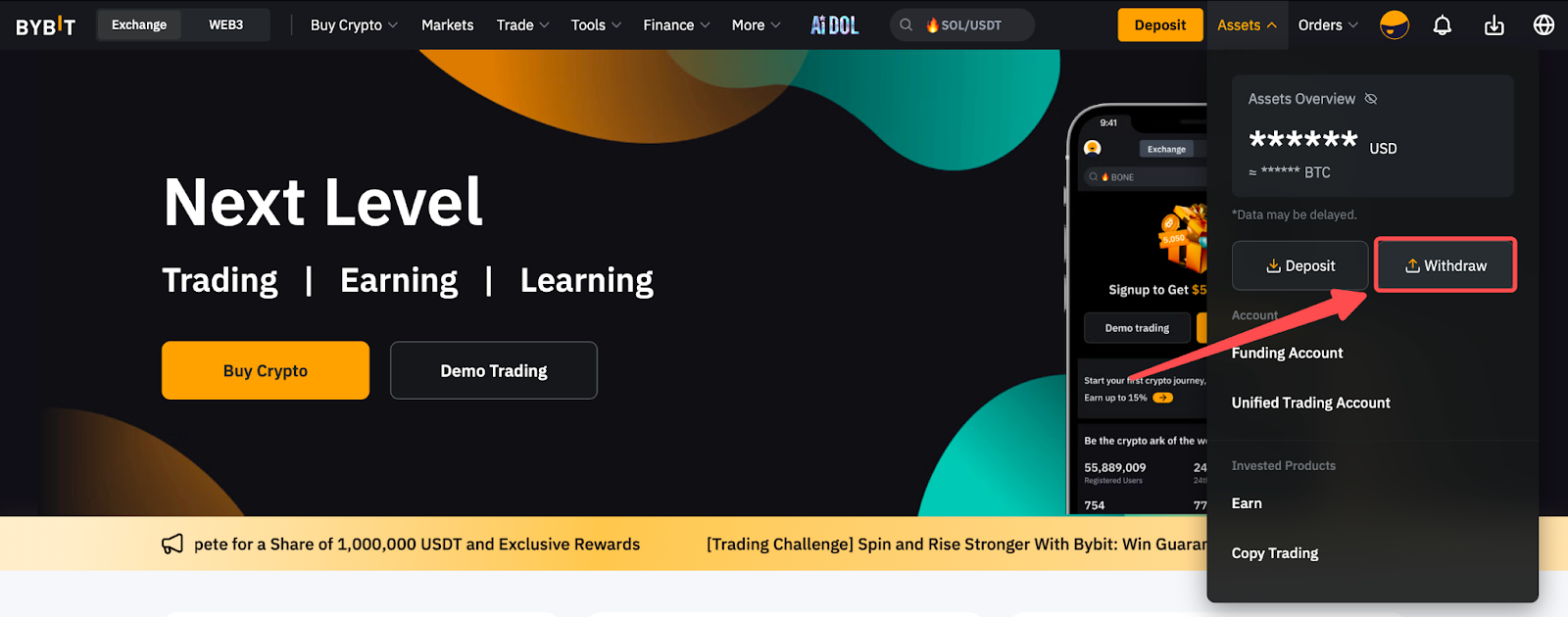
Step 1: Click on Assets at the top right-hand corner of the home page and go to Withdraw.
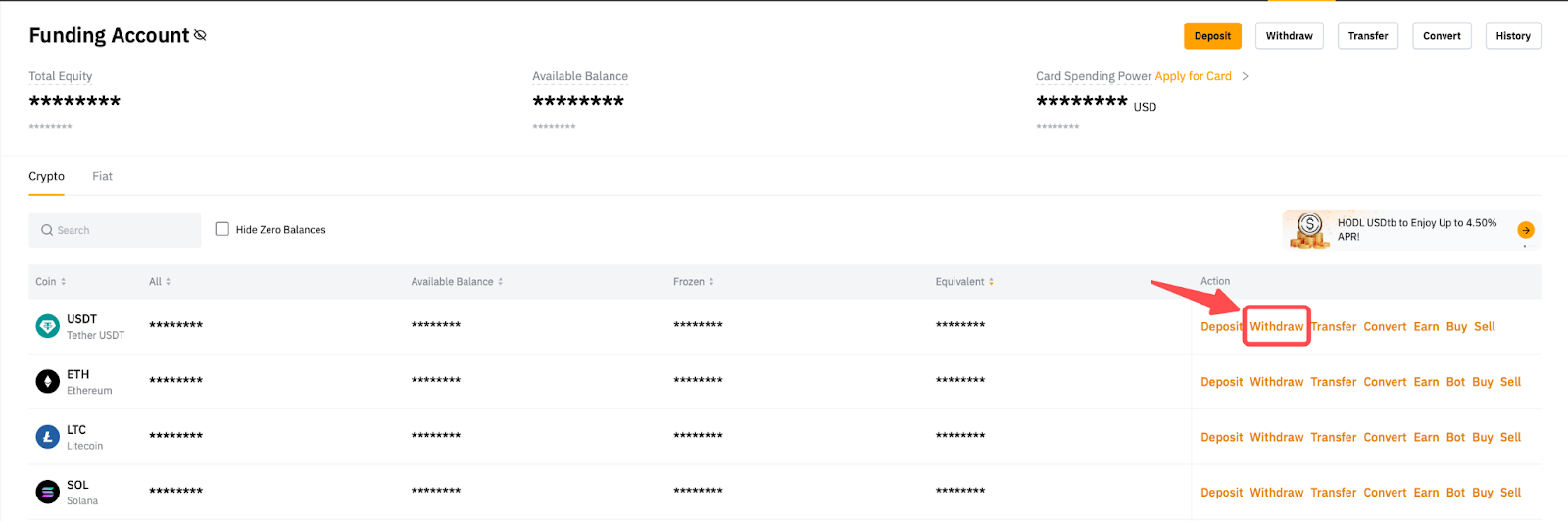
Alternatively, go to the Funding Account and click on the Withdraw button in the column of the coin you would like to withdraw.
Notes:
- Withdrawals from Funding, Unified Trading and Earn accounts can be performed on the Withdrawal page. If you have withdrawable funds in other accounts, please go to the Withdrawal page by clicking on the Withdrawal button.
- Please note that withdrawals from UTA might increase the IMR and MMR of your account, leading to a possible increase of account risk.
- Some cryptocurrencies do not support withdrawals from the Earn account. The option to select the Earn account will only be shown if it is supported.
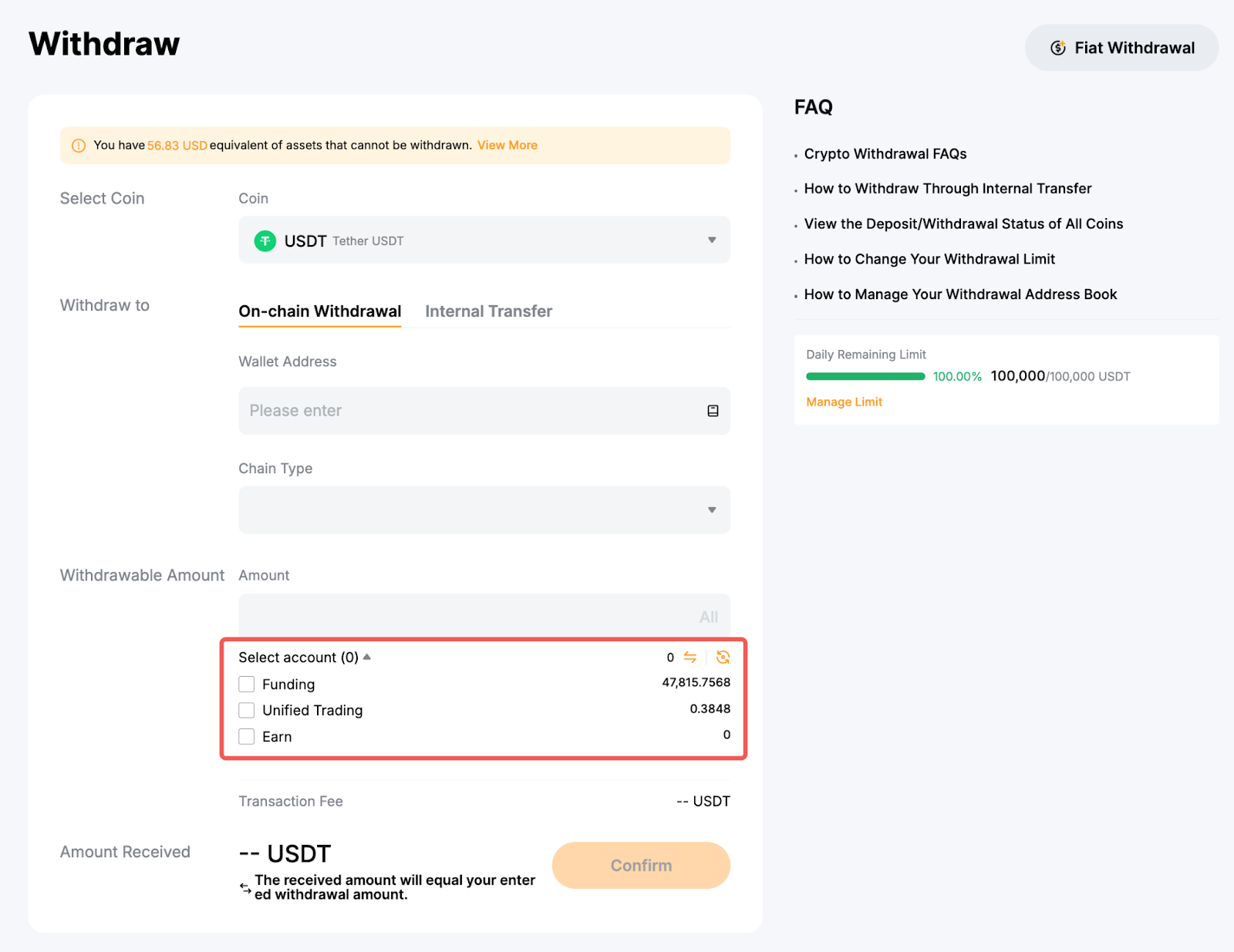
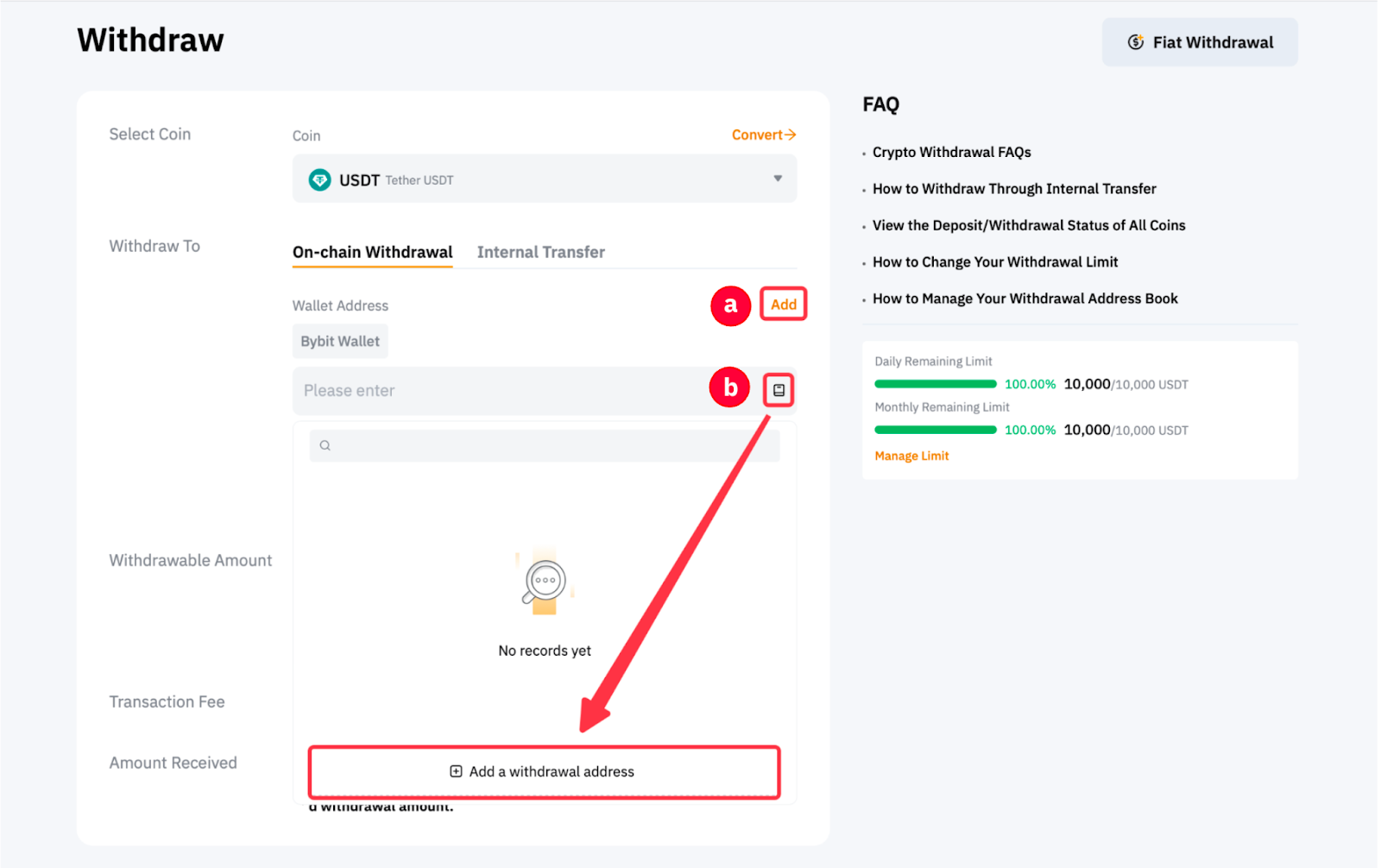
Step 2: Select the coin to withdraw as well as the withdrawal wallet address. You can either:
- Enter the wallet address directly in the Wallet Address field, or
- Select your chosen wallet address among your registered withdrawal wallet addresses, or
- Add a new withdrawal wallet address to your Bybit Withdrawal Wallet Address Book.
If you haven’t added a withdrawal address yet and would like to do so, please click on Add to set up your withdrawal address. For more details, please refer to How to Add a Withdrawal Wallet Address.
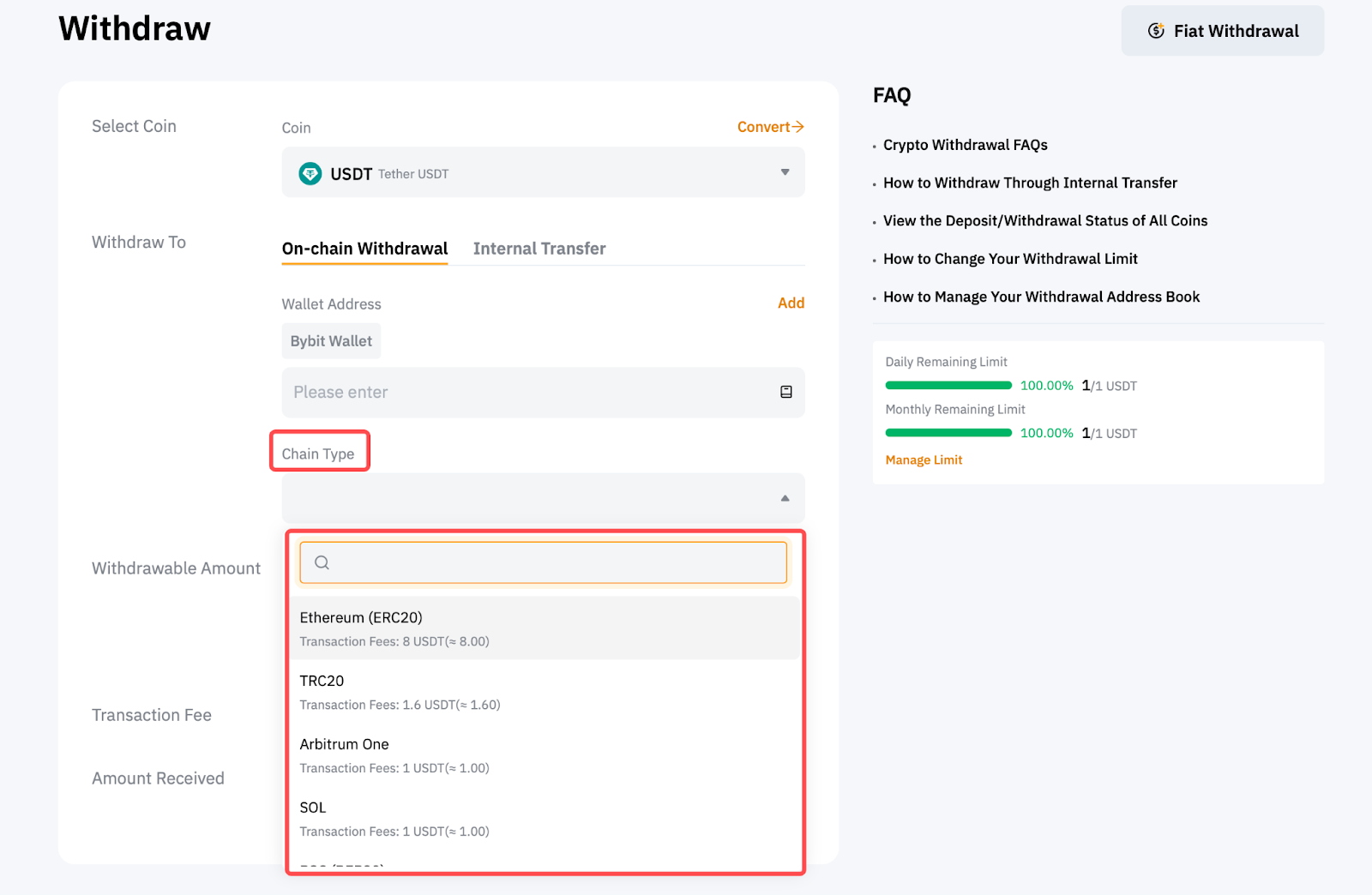
Step 3: Select the type of chain you prefer. You will see the withdrawal fee amount for each blockchain network accordingly.
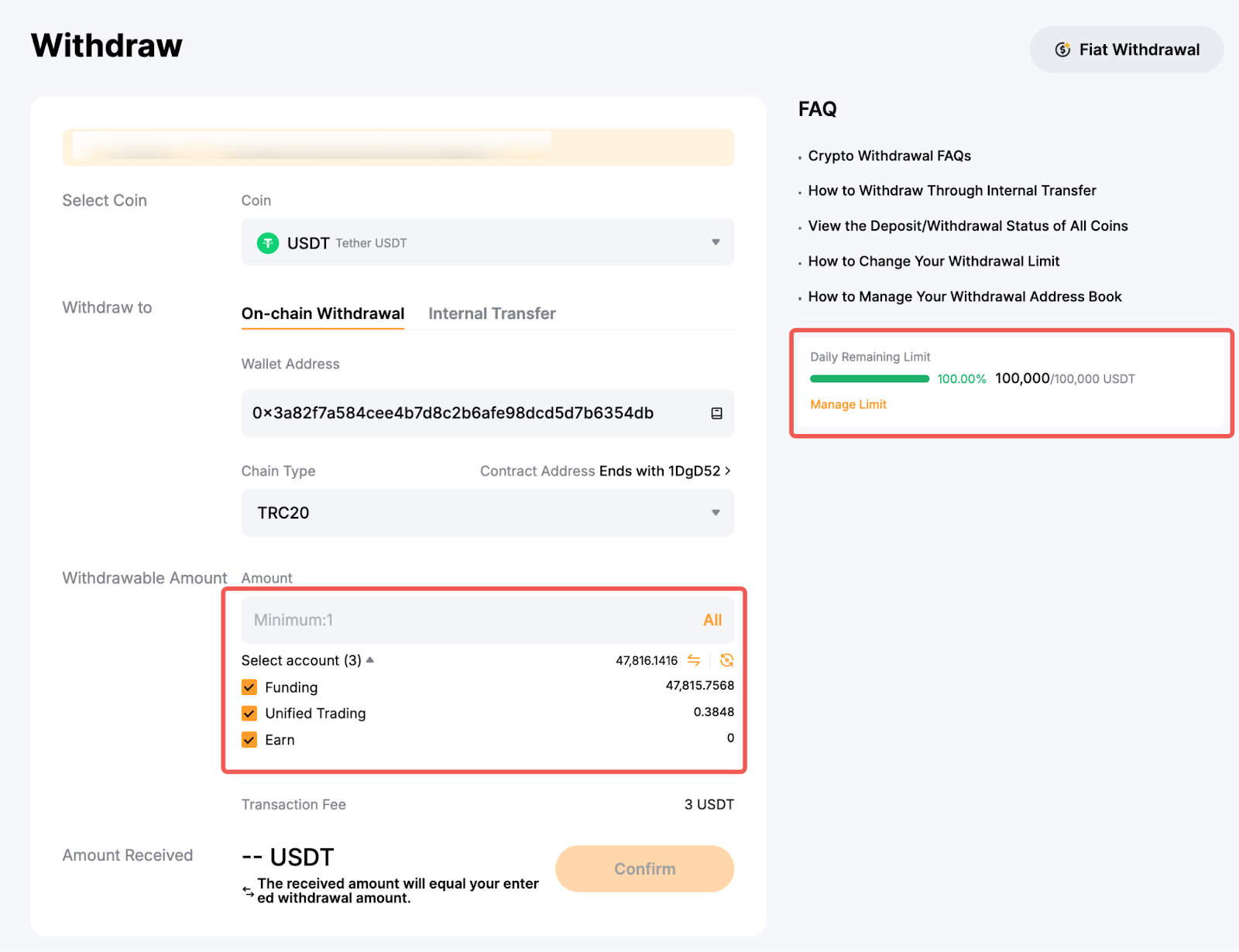
Step 4: Enter the amount you want to withdraw, or click on All to make a full withdrawal. Once the chain type is selected, the minimum withdrawal limit for this particular coin and blockchain network will be indicated in the withdrawable amount field.
You may choose to withdraw the available amount from the Funding, Unified Trading or Earn accounts. You’ll also find the daily and monthly remaining limits for withdrawal on the right side of the page. To change your withdrawal limit, follow the guide here.
Notes:
— For withdrawals from your Earn account, please note that only Flexible Term Earn investment can be withdrawn at any time. Fixed Term Earn investments cannot be withdrawn until the product reaches maturity (i.e., before the redemption period).
— Please note that withdrawals from UTA might increase the IMR and MMR of your account, leading to a possible increase of account risk.
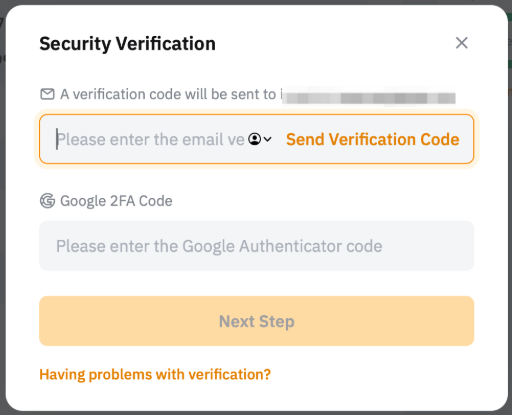
Step 5: Click on Confirm and you’ll be directed to the withdrawal verification page. The following two verification steps are required: Email verification and Google Authentication if your wallet address is not verified. Click on Submit once done.
Notes:
— If your address is verified in the Withdrawal Address Whitelist, you won’t need to go through the 2FA verification process, and you can submit the withdrawal request as below. To verify your withdrawal wallet address, you can follow this guide.
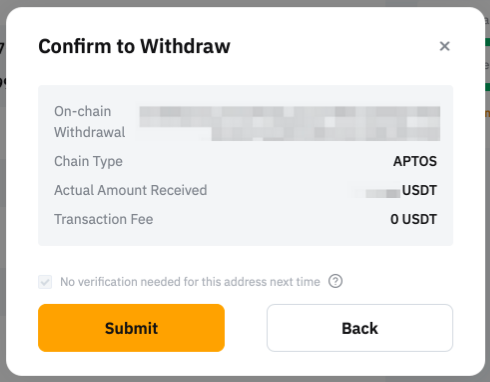
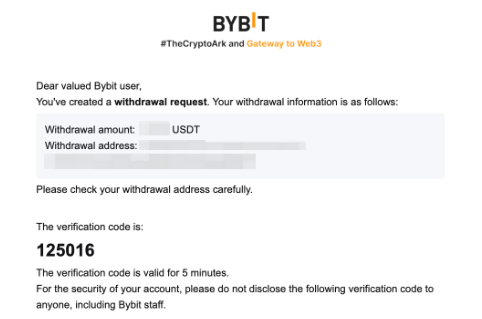
— An email containing your email verification code will be sent to the registered email address of the account. Please enter the verification code you’ve received. If the email isn’t in your inbox, please check your email’s spam folder. The verification email will only be valid for five minutes.
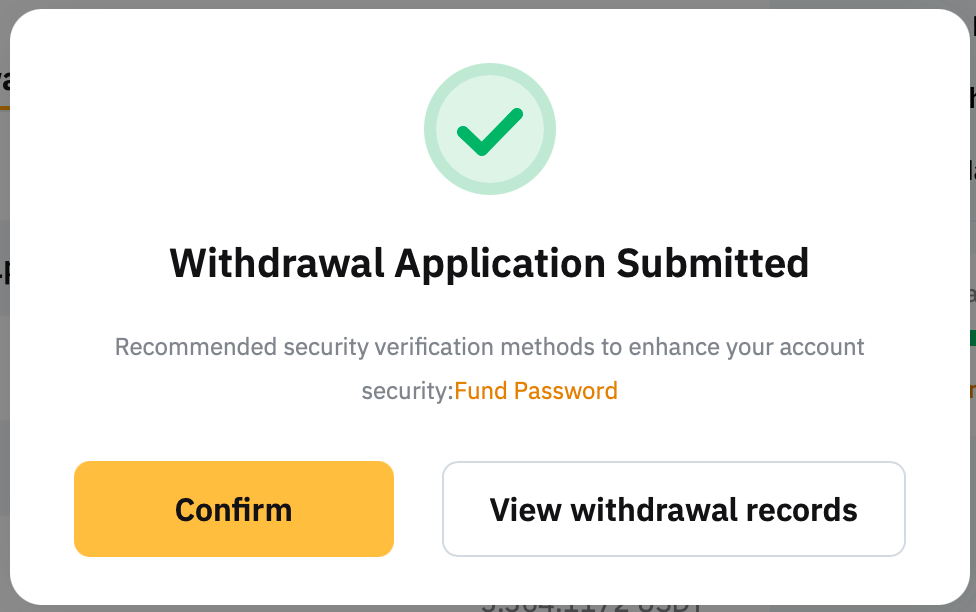
Your withdrawal request has been successfully submitted! The withdrawal may take up to 30 minutes or one hour to process. Please note that in the event of high network congestion, withdrawals may take longer.