Here’s a step-by-step guide on how to navigate Copy Trading Pro Master on the Website.
Become a Pro Trader/Create Your Strategy
Trade on Copy Trading Pro
Manage Your Copy Trading Pro
View Strategy Details
Edit Strategy
Raise Share Limit
Transfer Funds for Redemption
Withdraw Profits
Terminate Strategy
Become a Pro Trader/Create Your Strategy
For detailed steps on becoming a Pro Trader and creating your strategy, refer to How to Apply to Become a Pro Master.
Trade on Copy Trading Pro
Copy Trading Pro currently only supports United Trading Account (UTA). You can choose between Isolated and Cross Margin modes for your Copy Trading Pro trades. Managing trading in your Copy Trading Pro strategy is the same as trading with a Unified Trading Account. You may also refer to existing Help Center articles on how to view your trading history and track your asset movements. For more information on the following topics, please refer to our Help Center:
- Introduction to Bybit Unified Trading Account
- Difference Between Margin Modes Under Unified Trading Account
- Trading Rules: Liquidation Process (UTA)
Manage Your Copy Trading Pro Strategy
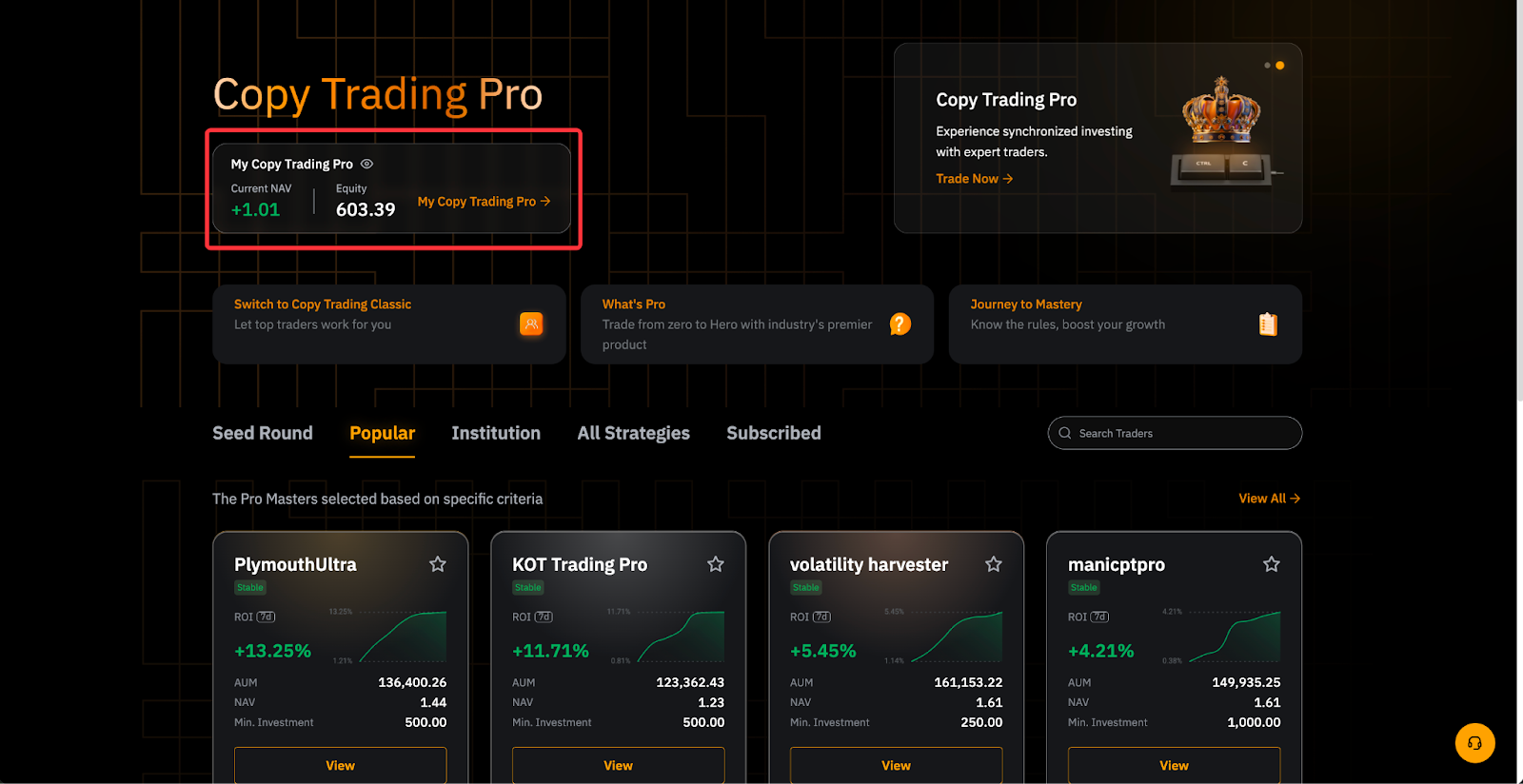
Go to Copy Trading Pro → Pro Master Center. You can access the page by clicking the summary card of your Copy Trading Pro strategies in the top left corner of the product page.
View Strategy Details
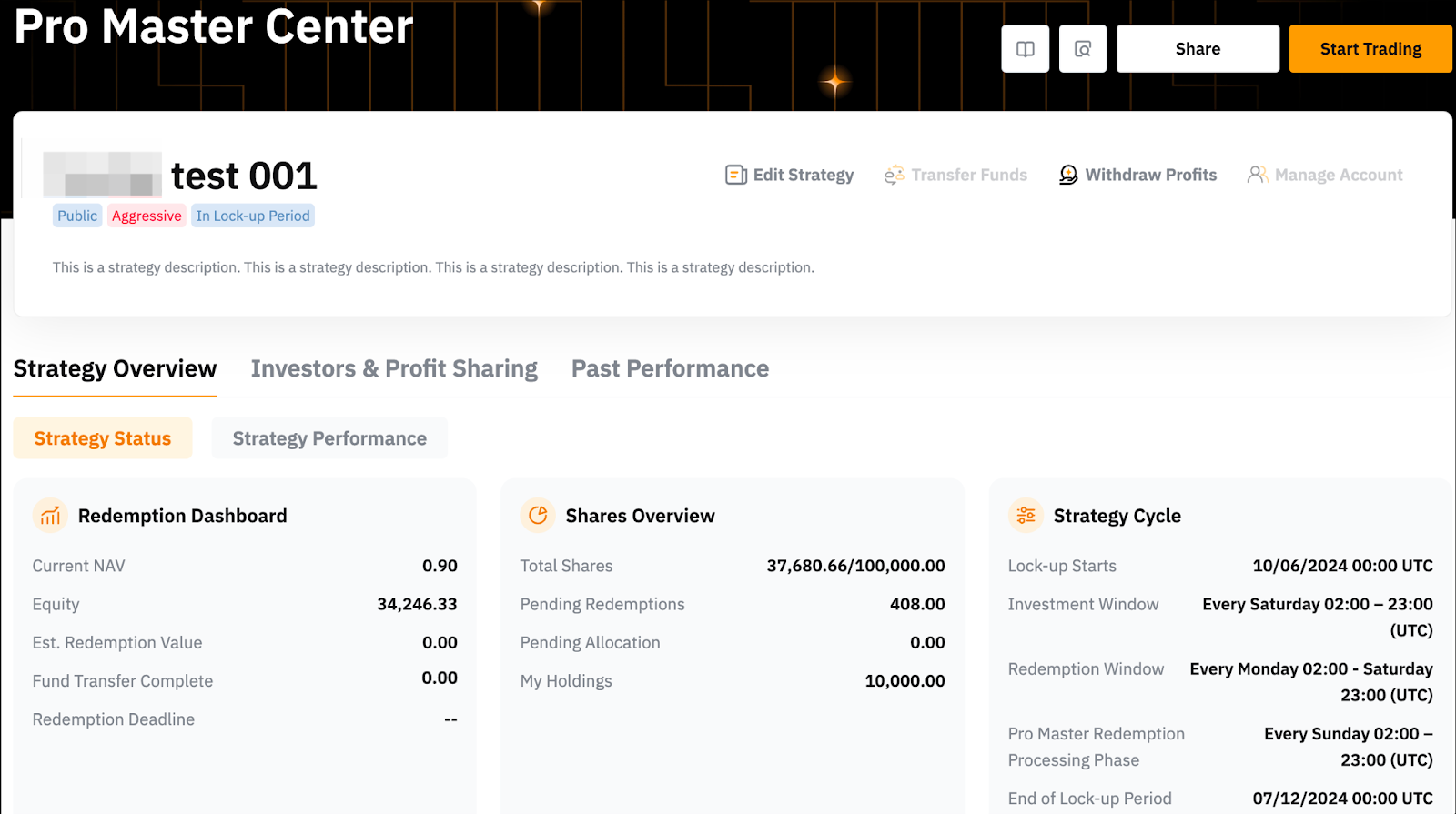
You can see the details of your active strategies under the Strategy Overview tab. On this page, you can track the current state of your strategy under Strategy Status, or zoom into an individual strategy’s performance under Strategy Performance.
Strategy Status
The Strategy Status tab provides crucial information and key dates for your strategy cycle. Below are some key aspects that you need to know:
1. Redemption Dashboard: The Redemption Dashboard provides crucial information about your copy trading strategy's redemption process.
- Sufficient Funds: If the Fund Transfer Complete amount is higher than the Est. Redemption Value, your trading won't be impacted. You've successfully provided enough funds to cover potential investor redemptions.
- Insufficient Funds: If the Est. Redemption Value is higher than the Fund Transfer Complete amount by the end of the processing phase, the system will take actions to meet the redemption needs. This may involve taking over your account, automatically canceling orders, or even closing positions.
2. Shares Overview Dashboard: The Shares Overview Dashboard provides a snapshot of your investment activity within a particular strategy.
3. Strategy Cycle Dashboard: The Strategy Cycle dashboard keeps you informed about key dates throughout a strategy's lifecycle.
Investors & Profit Sharing
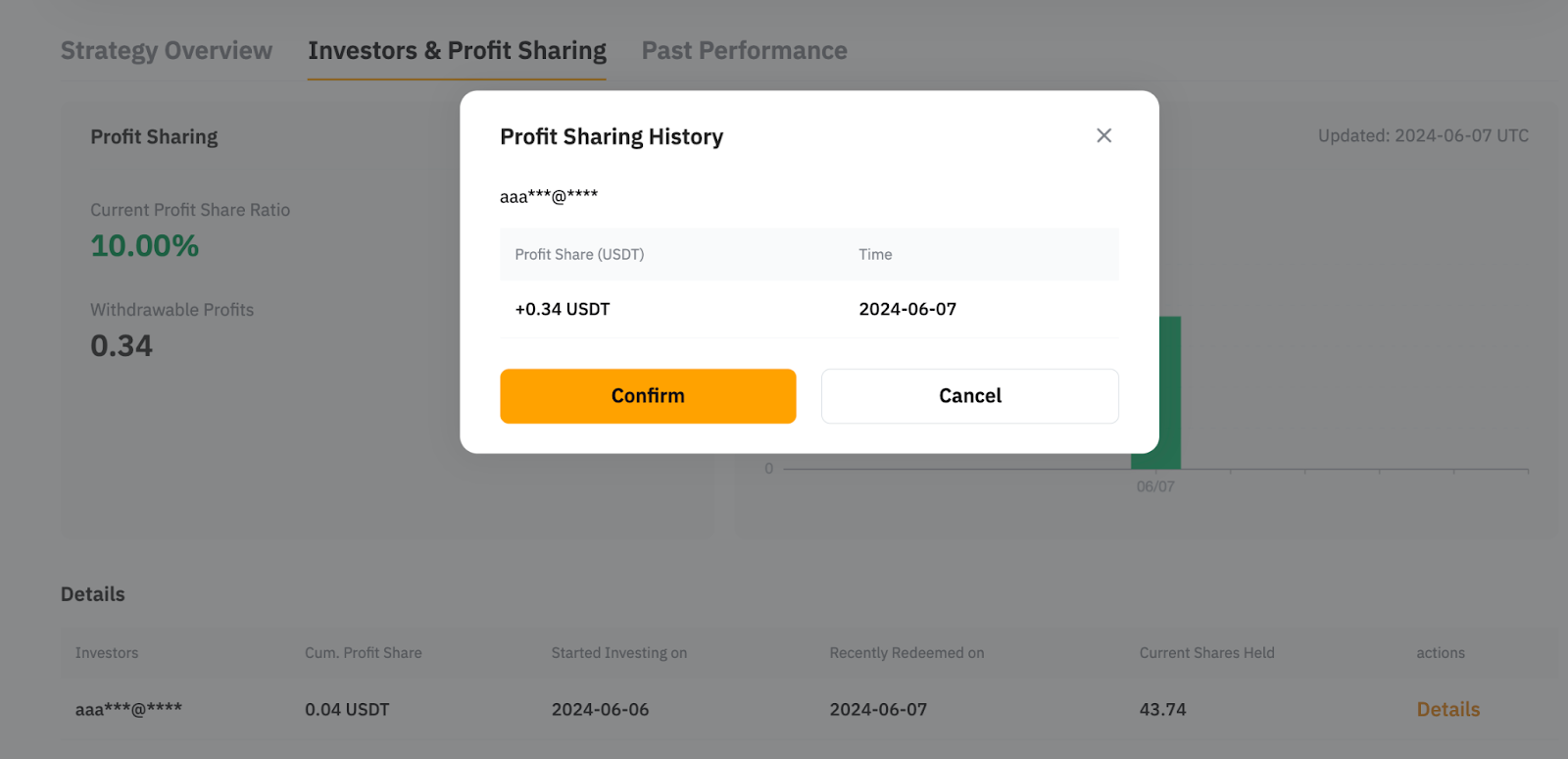
You can view the breakdown of profit sharing from each investor.
Past Performance
This is where you can track the strategy’s historical performance.

For more information on how to understand the dashboards in Pro Master Center, please refer to How to Navigate Pro Master Center.
Edit Strategy
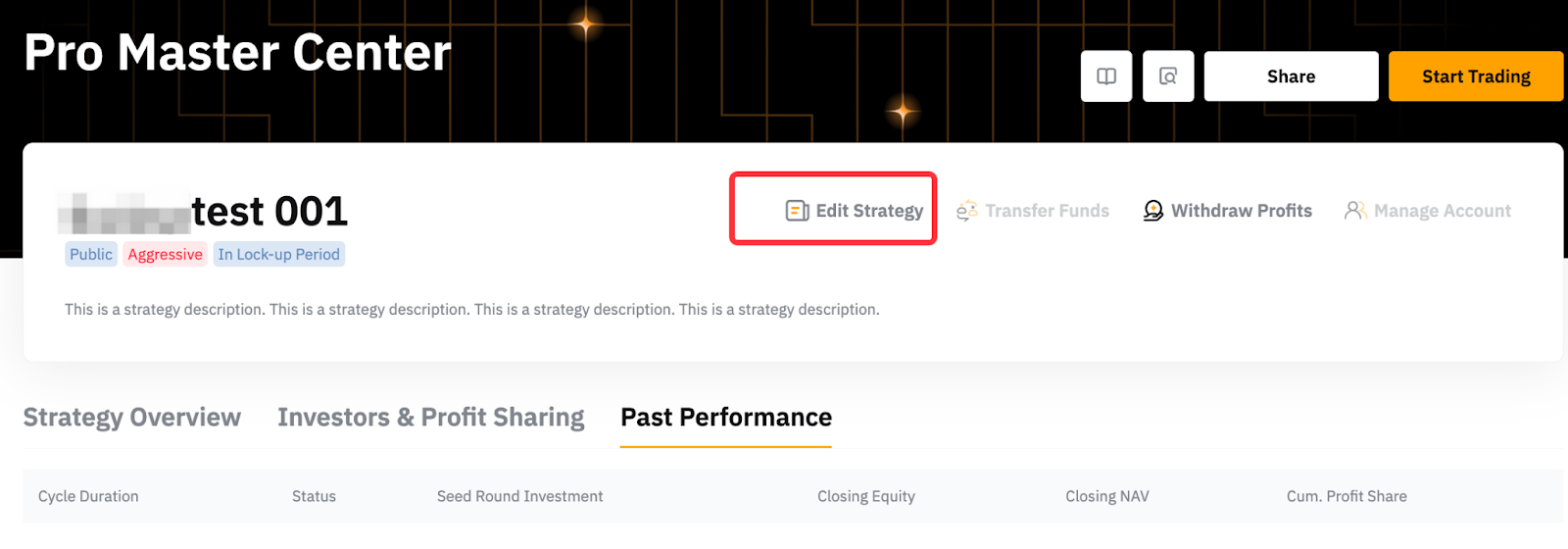
Step 1: To edit the parameters of your strategy, click Edit Strategy.
Step 2: On the pop-up window, update the parameters you wish to change, i.e., Profit Sharing ratio, and click Confirm.
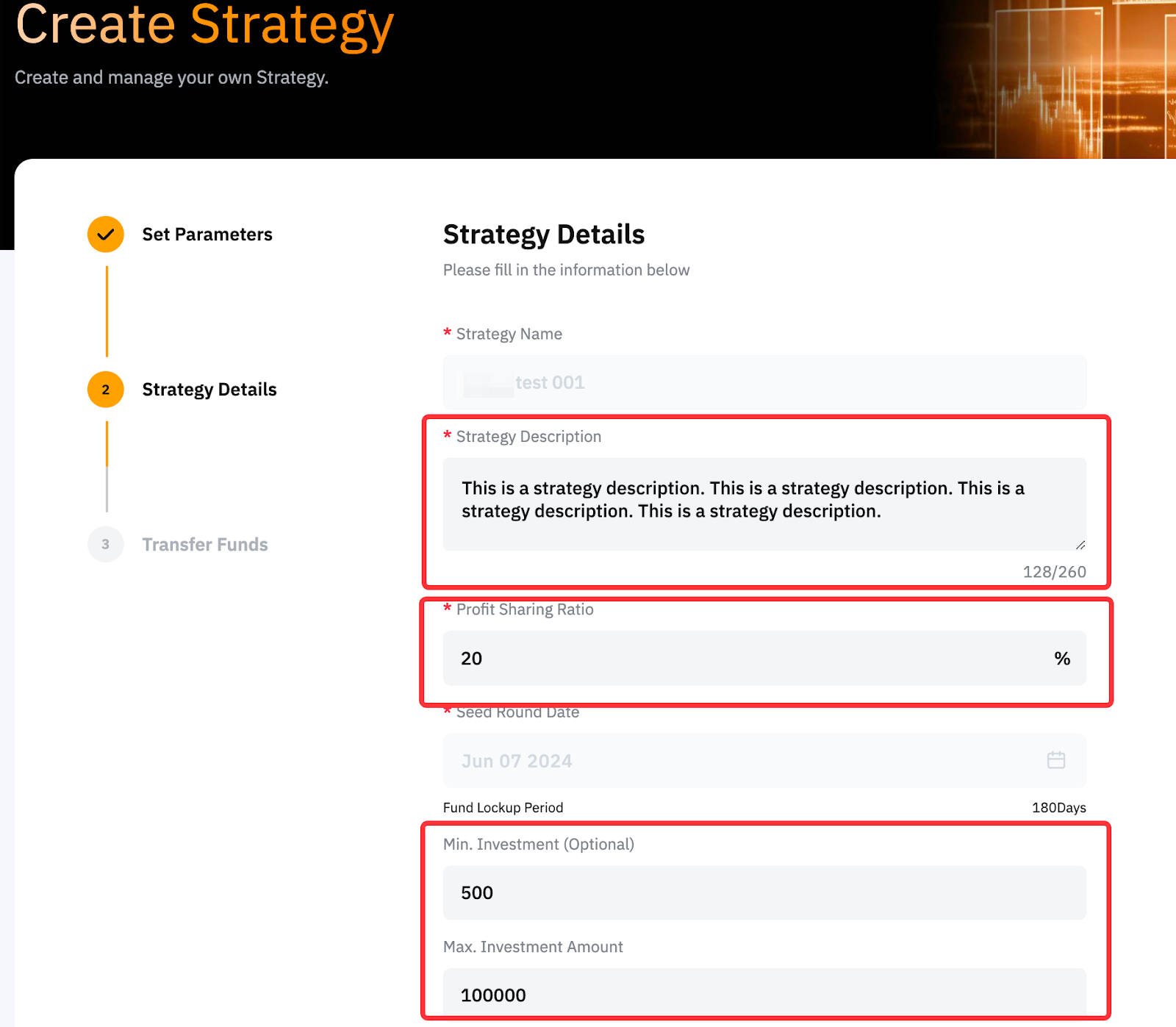
The Max. and Min. Investment Amounts are updated automatically, while changes to the Strategy Description require manual review which takes around 1-5 working days. However, the Strategy Name cannot be modified.
Raise Share Limit
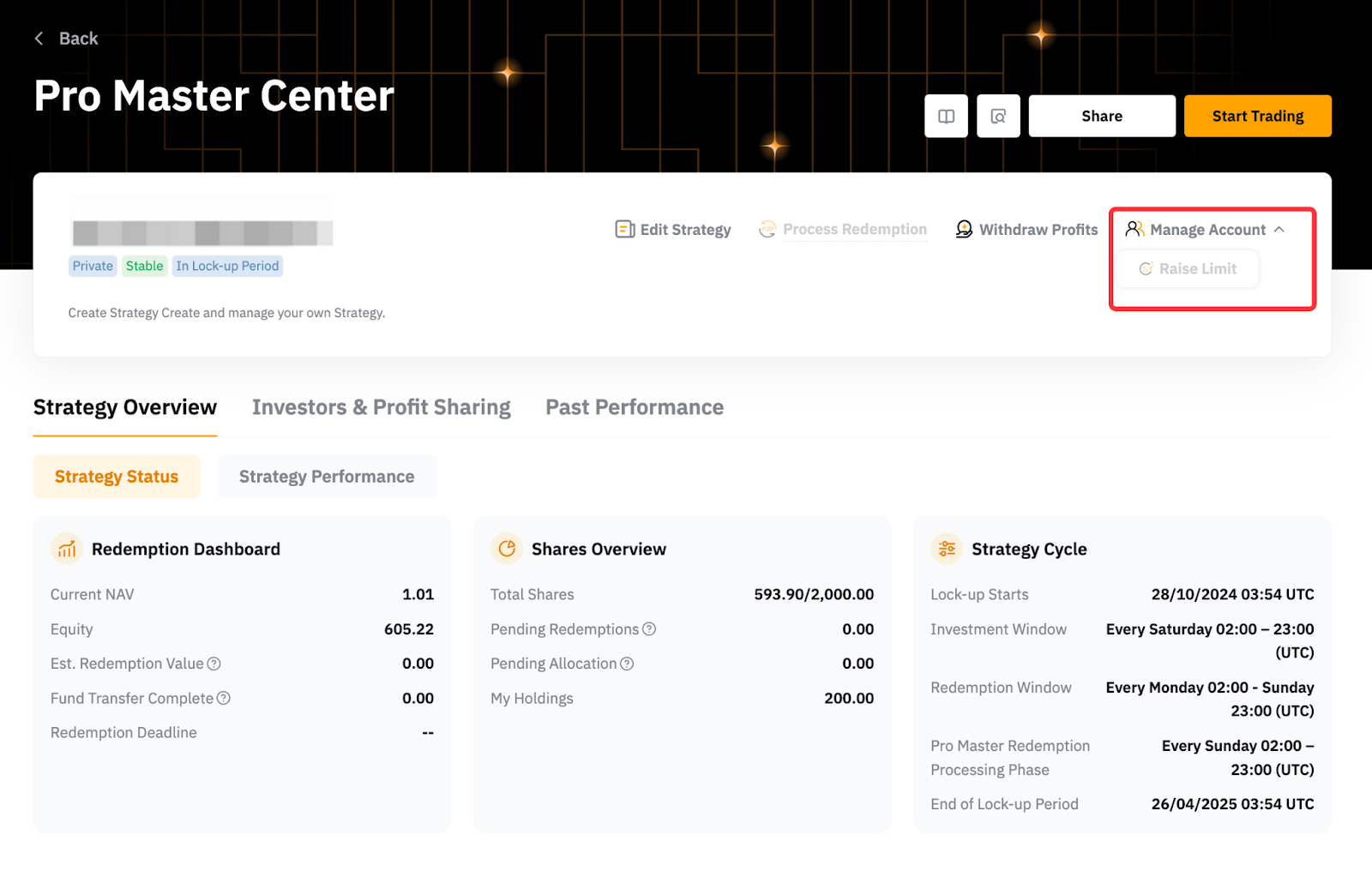
You can raise the share limit to accommodate more investors’ funds during the Investment Window from Manage Account → Raise Limit. When you choose to increase the capacity, you must also contribute the additional Master Balance to complete the expansion successfully.
For example, your current strategy’s share limit is 500,000 shares and the current NAV is 1.05. Assuming the Min. Master Balance is 10%, to increase your share limit to 1 million, you have to contribute an additional 52,500 USDT to your strategy [(1,000,000 - 500,000) x 1.05 x 10%].
Transfer Funds for Redemption
To facilitate a redemption when there are insufficient funds, you may need to manually transfer funds from your Copy Trading Pro Subaccount (UTA) to your Funding Account. To do so, you need to:
Step 1: Click Transfer Funds.
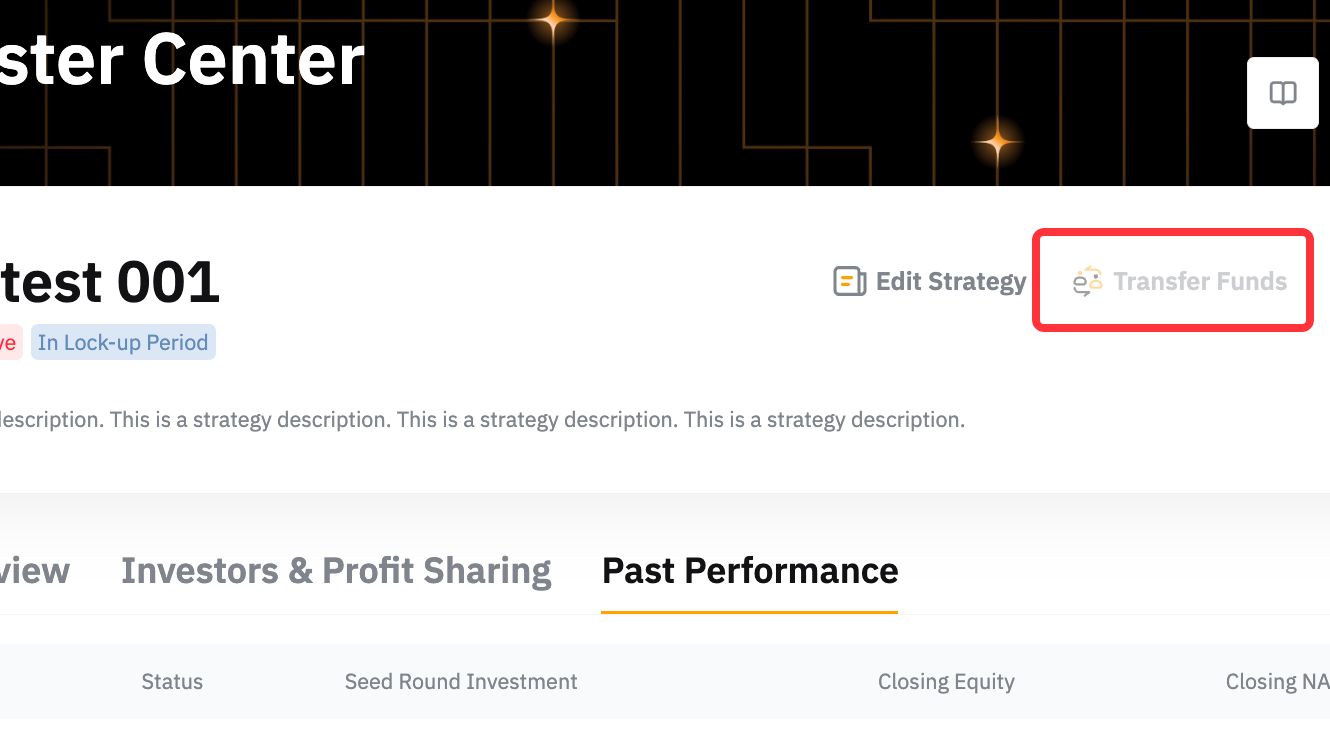
Step 2: On the pop-up, enter the amount you wish to transfer. Click Confirm.
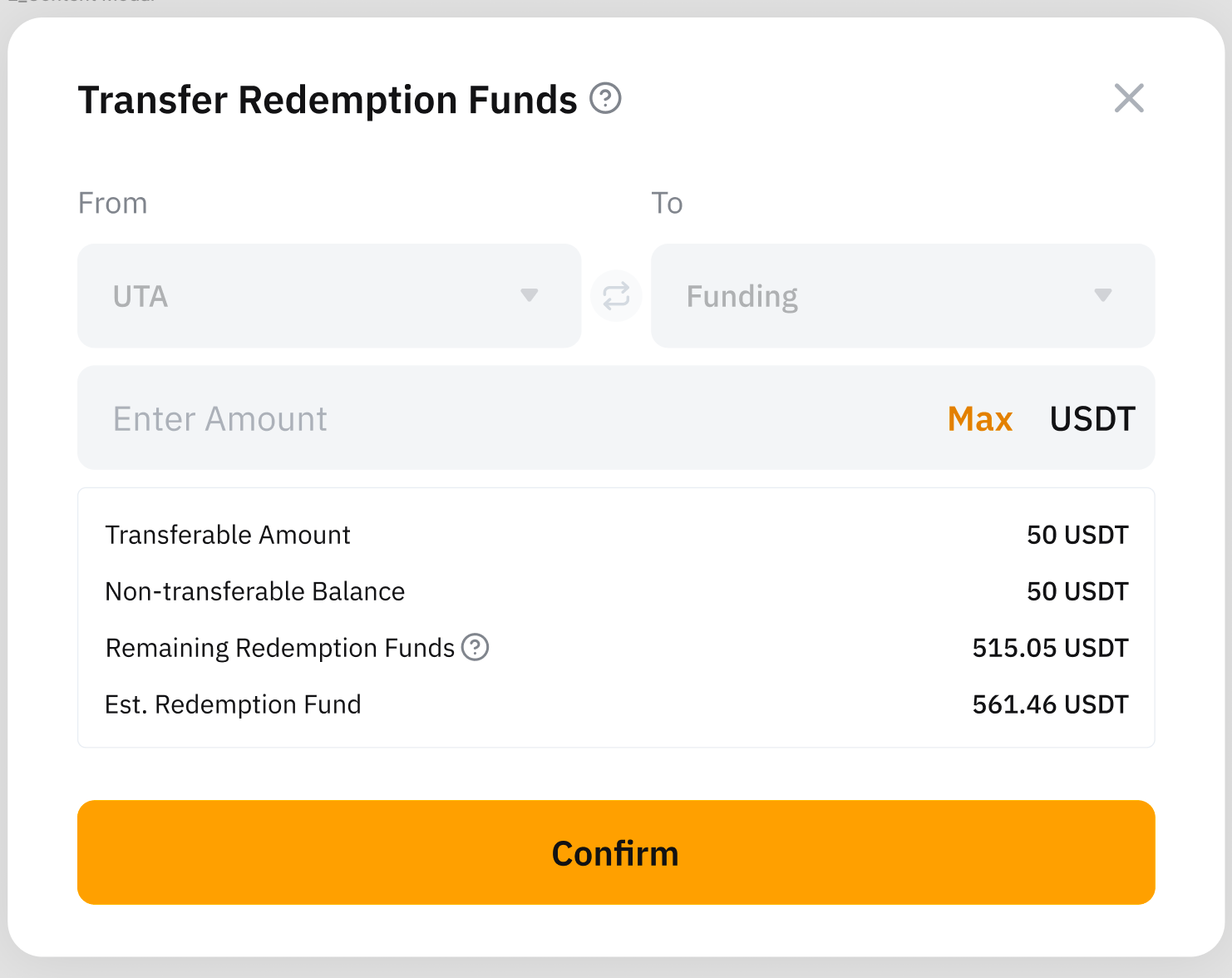
Please note that:
- Transferable Amount: This value reflects the amount of USDT available for transfer within the Pro Master's Unified Trading Account (UTA). If this amount falls short of the total required for investor redemptions, the Pro Master is responsible for managing their orders and positions to free up sufficient funds.
- The Fund Transfer function is only accessible during the Pro Master Redemption Processing Phase.
- To ensure smooth investor redemptions, Pro Masters must maintain adequate funds in their Funding Accounts during the Pro Master Redemption Phase. Failure to do so may result in the system taking over the Pro Master's account, potentially canceling orders or closing positions to meet the necessary redemption amount.
Withdraw Profit
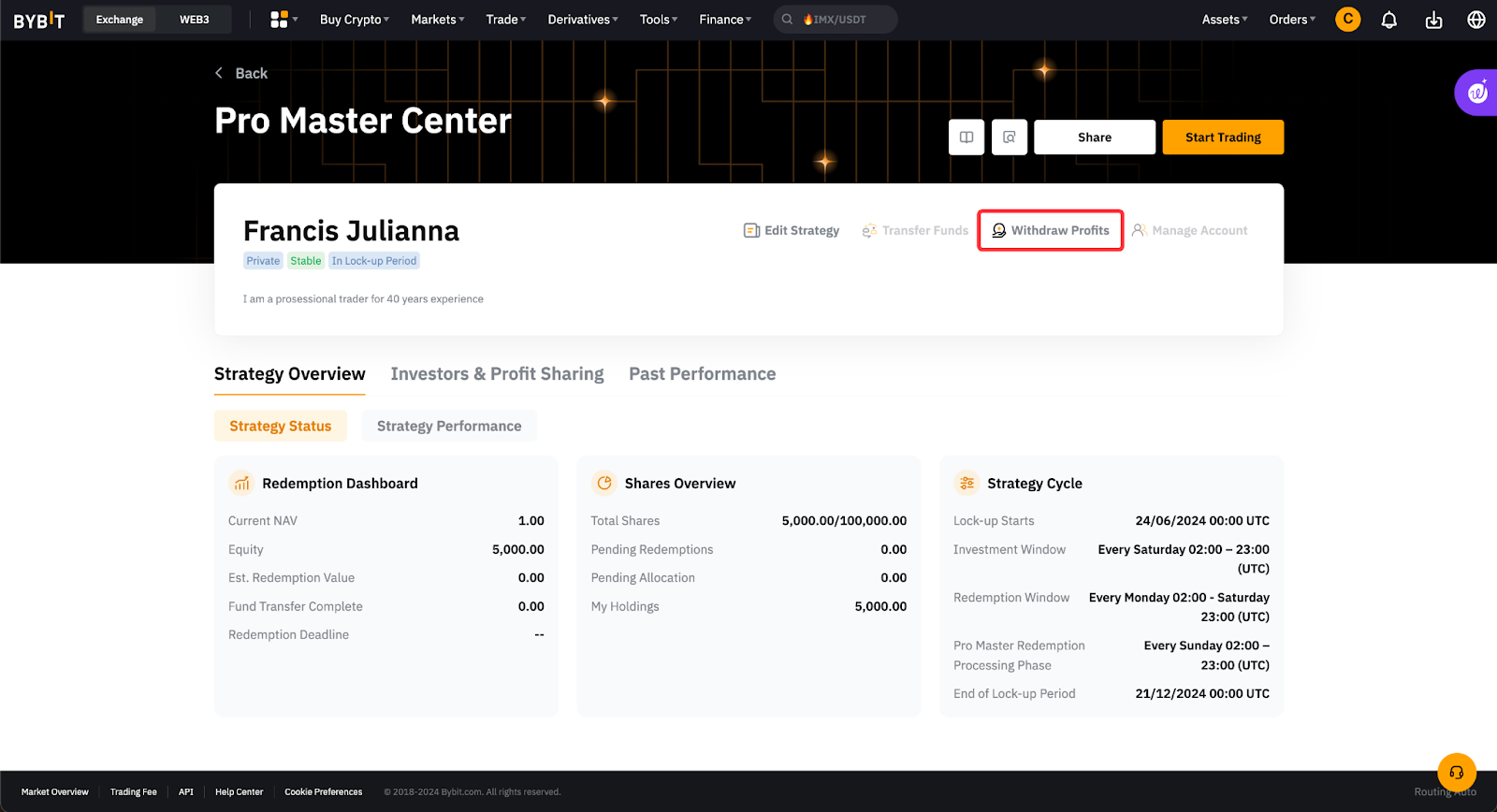
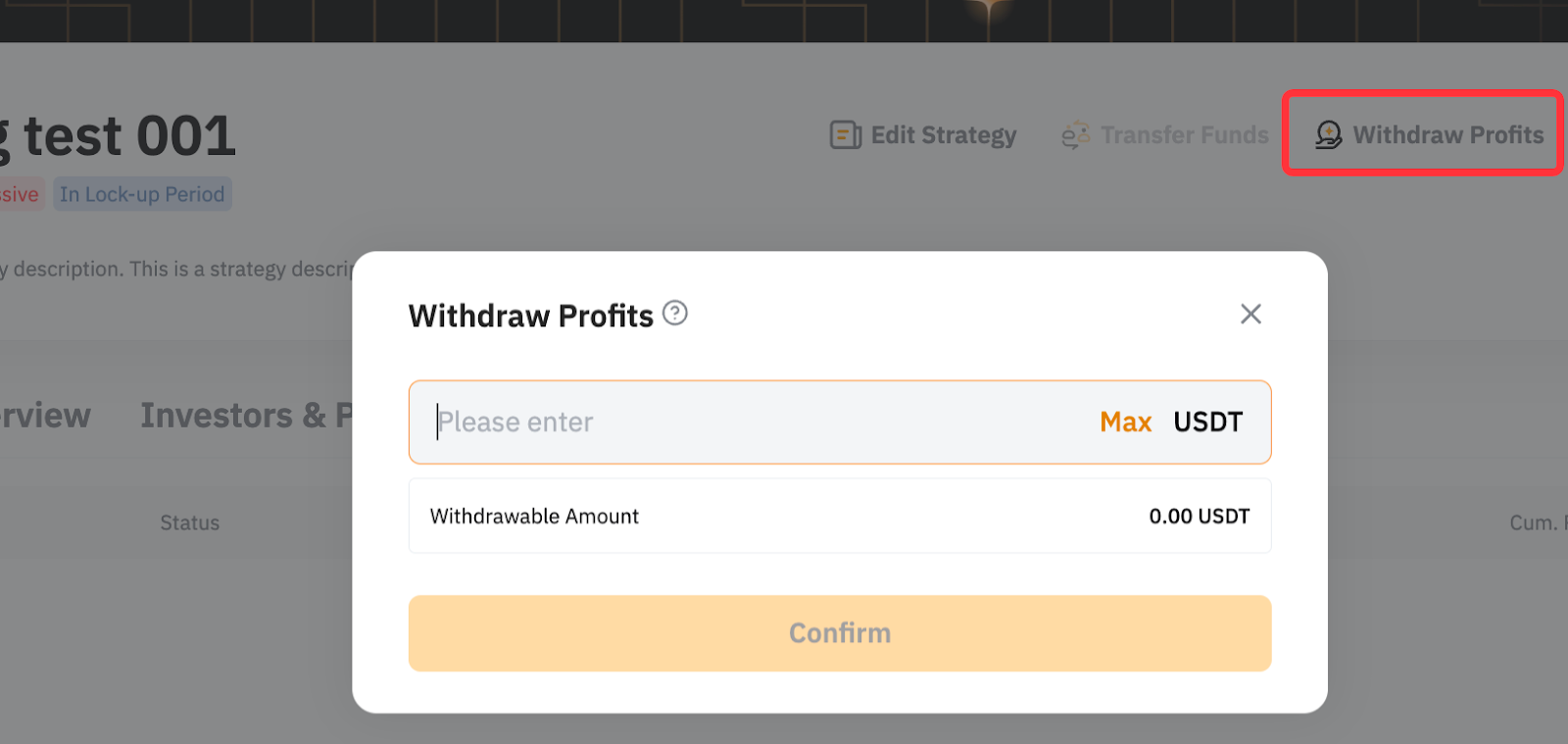
Pro Traders can only withdraw their profit sharing but not the realized trading profits. Withdraw profit sharing is restricted during the redemption processing and settlement phases. For a detailed explanation of the rules of profit sharing, please refer to this article.
Step 1: Click Withdraw Profits.
Step 2: Enter the withdrawal amount and click Confirm.
Terminate Strategy
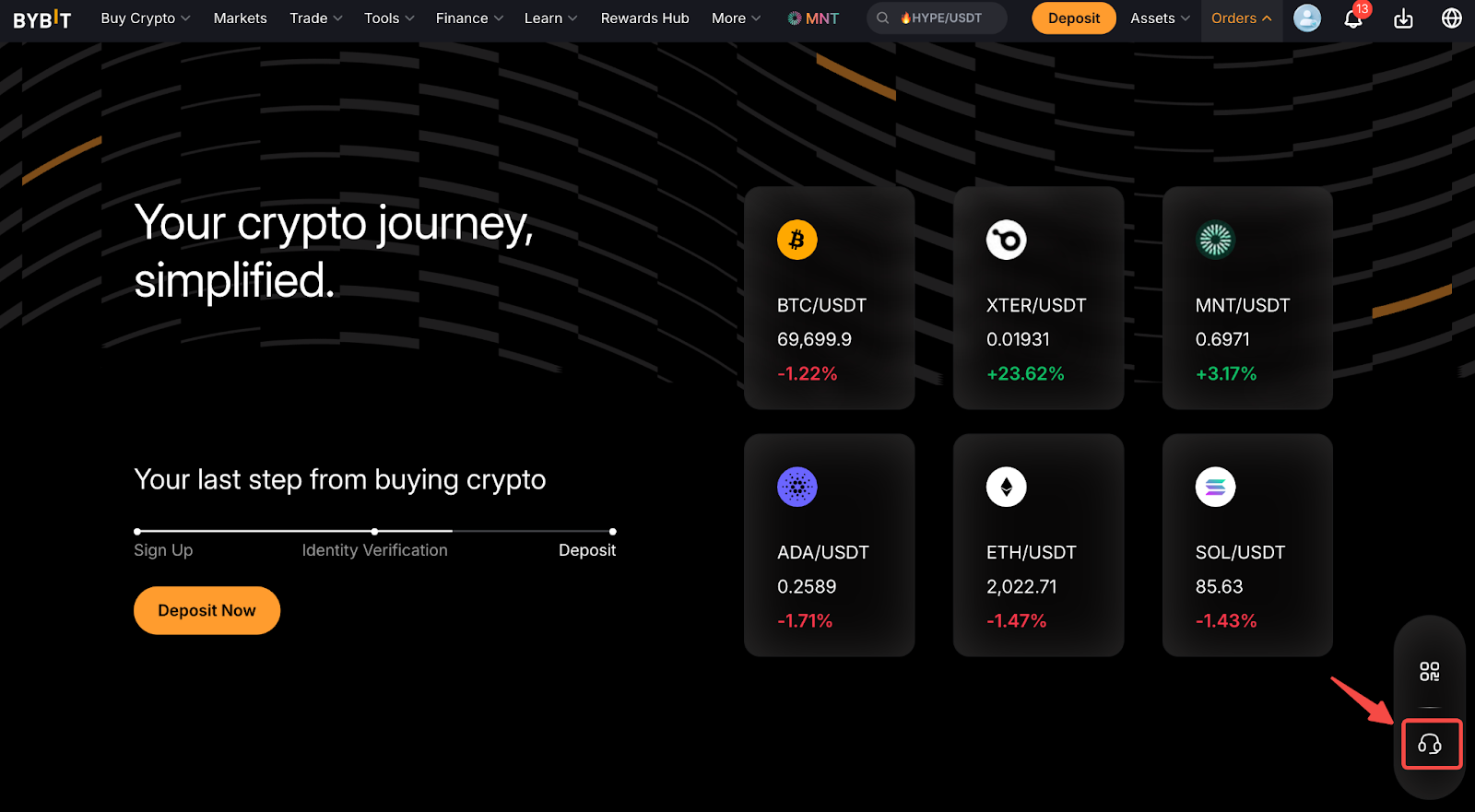
If you would like to terminate your strategy, please feel free to reach out to our customer service by clicking on the chat icon on the bottom right corner of the homepage.