Supported Fiat CurrenciesSupported Fiat Currencies | Available Payment MethodsAvailable Payment Methods | Required InformationRequired Information | Important InformationImportant Information |
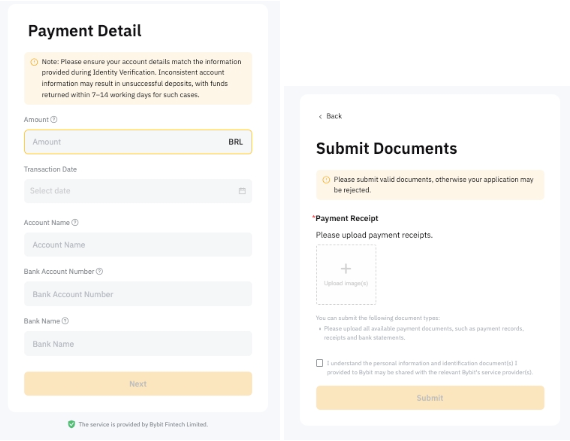
BRLBRL | PIXPIX | - CPF/CNPJ Number
- PIX Key
- Additional Tax ID Information (in some cases)CPF/CNPJ Number
- PIX Key
- Additional Tax ID Information (in some cases)
| Your CPF/CNPJ details must match your Identity Verification information. Please only deposit funds using an account registered under your tax identification number. Otherwise, the deposit will fail.Your CPF/CNPJ details must match your Identity Verification information. Please only deposit funds using an account registered under your tax identification number. Otherwise, the deposit will fail. |
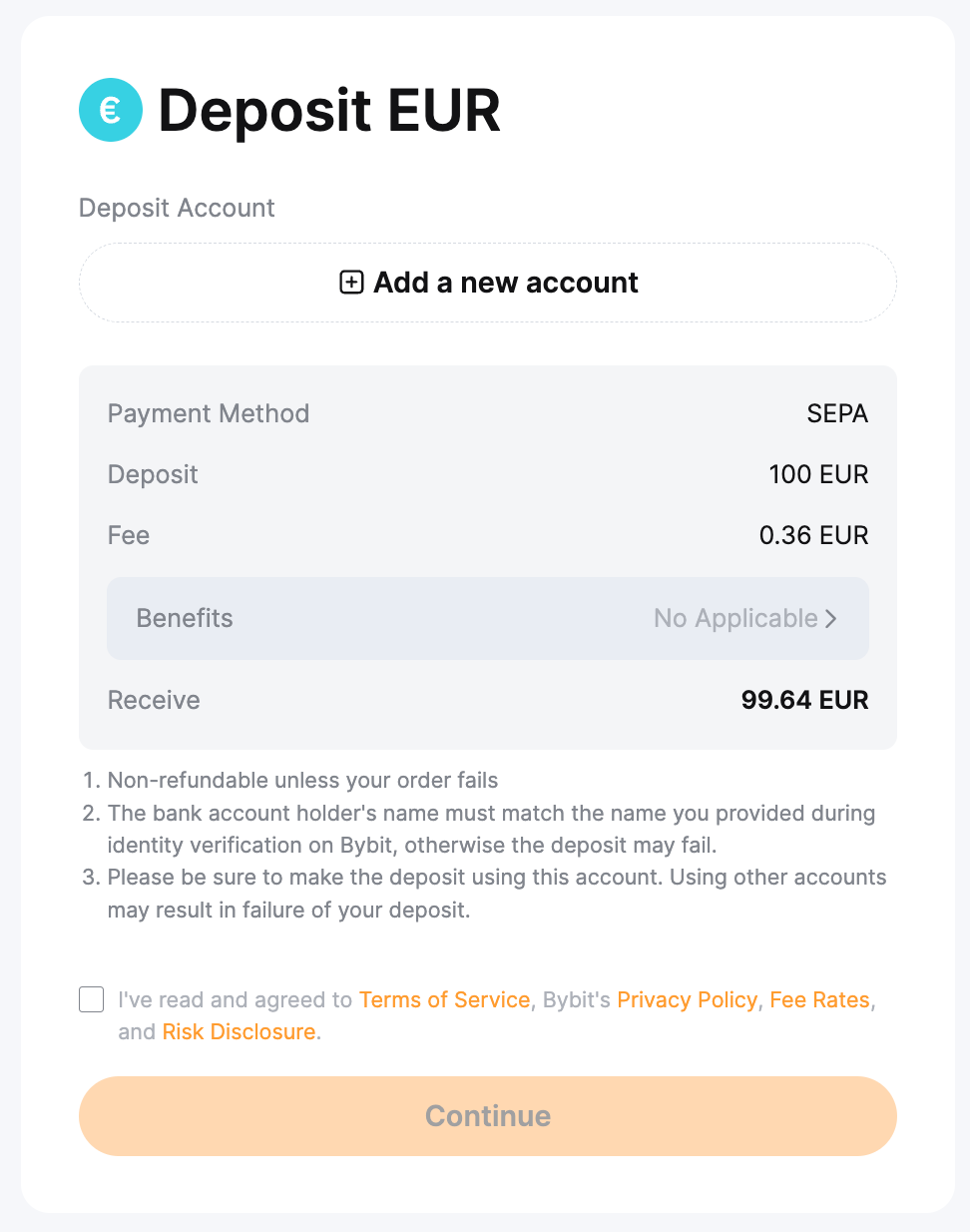
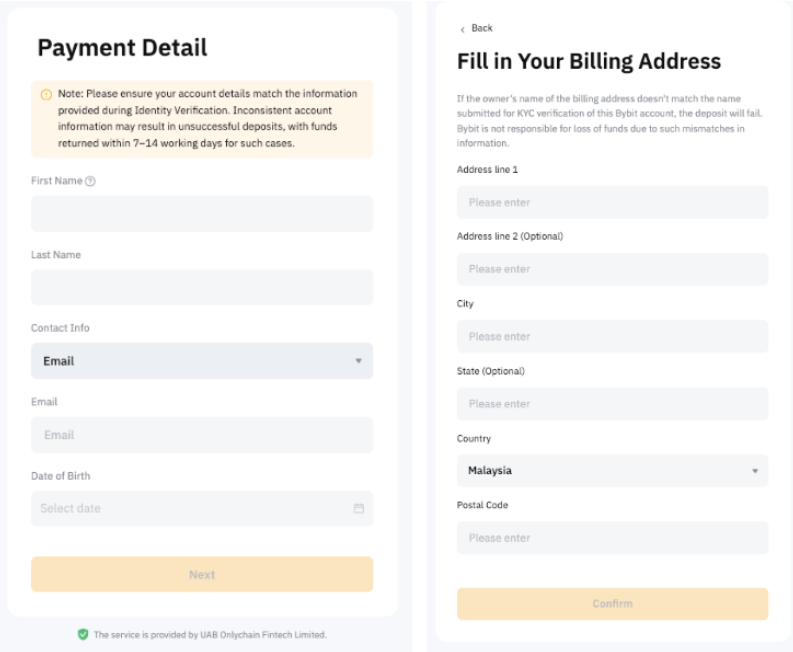
EUREUR | SEPASEPA | It's possible that you'll be assigned to different suppliers. Virtual Account (VA) containing the following details may be required: - First and Last Name
- Contact Information
- Date of Birth
- Billing AddressIt's possible that you'll be assigned to different suppliers.
- Virtual Account (VA) containing the following details may be required:
- First and Last Name
- Contact Information
- Date of Birth
- Billing Address
| SEPA service is only supported for users in certain EU countries. You may encounter an ‘IP Restricted' message if your country does not support this service. A virtual account might be necessary to use the SEPA payment method. In certain suppliers, you would be required to fill in the Reference ID when making the payment transfer.
Please deposit funds: (i) using an account registered under your tax identification number. (ii) ensuring that the Reference ID is inputted (if required by the supplier). Otherwise, the deposit will fail. |
Zen.com | - Zen.com Account (mobile number)
| To use Zen.com, you will need to log in to your Zen.com account. If you do not have one, please create one using the same information as on your Bybit account. |
Bank Card | - Email
- First and Last name
- Card details
- Country/region
- Billing address
| If a bank card has already been added previously, it will be listed under the Bank Card payment method. Otherwise, you can add a new bank card when making a deposit. |
GBP | Zen.com | - Zen.com Account (mobile number)
| To use Zen.com, you will need to log in to your Zen.com account. If you do not have one, please create one using the same information as on your Bybit account. |
FPS (Faster Payments Service) | - Country of Bank
- Bank Name
- Bank Account Number
- Email Address
| To complete the payment, you will be redirected to your bank’s platform. Please follow their instructions according to the account information provided by Bybit on the fiat deposit page. |
USD | QuickPay | - National Identity Document Number
| Quickpay is only available to users from El Salvador. |
SWIFT (non-US Banks only) | - Name
- Mobile number/email
- Date of birth
- Billing address
| Applicable only to VIP 3 users and above who have been registered for more than 180 days. You may be required to submit supplementary documents if your verified KYC information does not meet the requirements. A virtual account is necessary to use the SWIFT payment method. |
SWIFT | - Name
- Email
- Nationality
- Gender
- Date of Birth
- Residence Address Information
- Basic Account/Transaction Information
| Depending on the channel’s requirements, you may be required to provide additional information for KYC verification, such as a passport or an identity card. Kindly ensure your details must match your Identity Verification information. Otherwise, the deposit will fail. Also, please note that account opening may take up to one business day for the team to review.
Note: Deposits processed via StraitsX will be reflected as USD in your Bybit account, with funds held in XUSD, a stablecoin pegged 1:1 to the US dollar. When you withdraw, you will receive an equivalent amount in USD. |
Bank Card | - Email
- First and Last name
- Card details
- Country/region
- Billing address
| If a bank card has already been added previously, it will be listed under the Bank Card payment method. Otherwise, you can add a new bank card when making a deposit. |
COP | Bank Transfer (PSE) | - Bank Name
- National Identity Document Number
| To complete the payment, you will be redirected to your bank’s platform. Please follow their instructions according to the account information provided by Bybit on the fiat deposit page. |
MXN | - Bank Transfer – Fixed CLABE
- Bank Transfer – Dynamic
- Bank Transfer (SPEI)
| - First, Last and Second Last name
- RFC or CURP Details
- Date of Birth
- Country of Birth
- Bank CLABE No.
| To complete the payment, you will be redirected to your bank’s platform. Please follow their instructions according to the account information provided by Bybit on the fiat deposit page. |
PLN | Zen.com | - Zen.com Account (mobile number)
| To use Zen.com, you will need to log in to your Zen.com account. If you do not have one, please create one using the same information as on your Bybit account. If you have any issue with the Zen.com application, please contact the support at hello@zen.com. |
SWIFT | — | — |
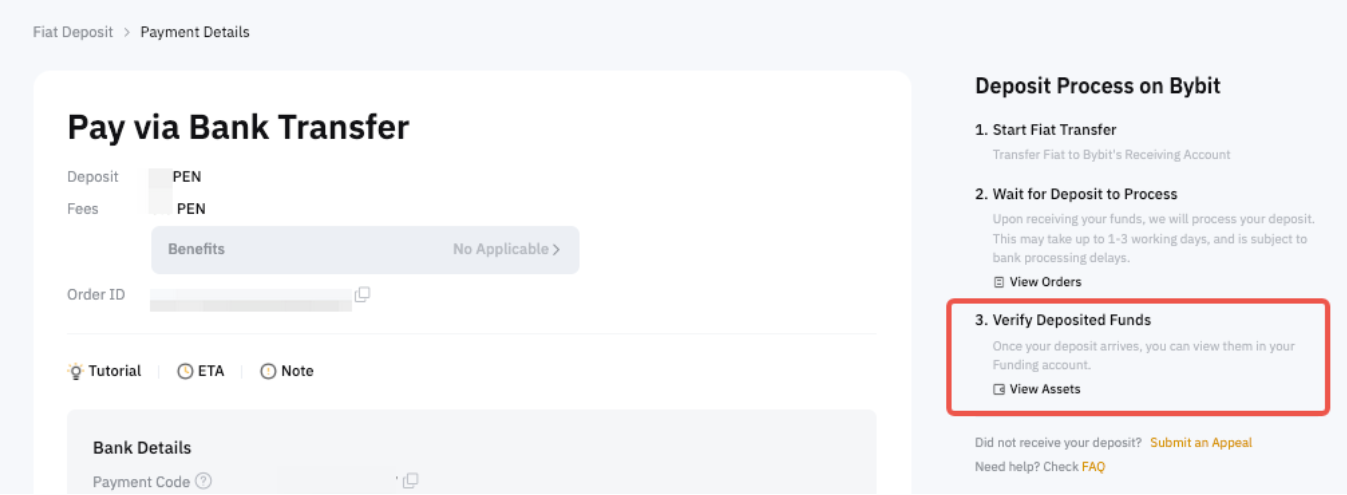
PEN | Pago Efectivo | - Bank Name
- National Identity Document Number
- First and Last Name
| Both individuals and businesses can use bank transfer to deposit PEN. Please ensure to submit your DNI (for individuals) or RUC (for companies) to proceed with the PEN deposit.
Only the following banks accept payments with a payment code: BCP, BBVA, Scotiabank and Interbank. |
CRC | Bank Transfer (SINPE) | - National Identity Document Number
| The following identity documents are acceptable when depositing CRC: National ID, Resident ID, RUC, Institutional ID, Government ID or Diplomatic ID. When using the Bank Transfer (SINPE) payment method, a virtual bank account will be created for you to receive the funds on Bybit. |
UYU | Bank Transfer | - Bank Name
- National Identity Document Number
| To complete the payment, you will be redirected to your bank’s platform. Please follow their instructions according to the account information provided by Bybit on the fiat deposit page. |
ARS | - Bank Transfer – Fixed CVU
- Bank Transfer – Dynamic
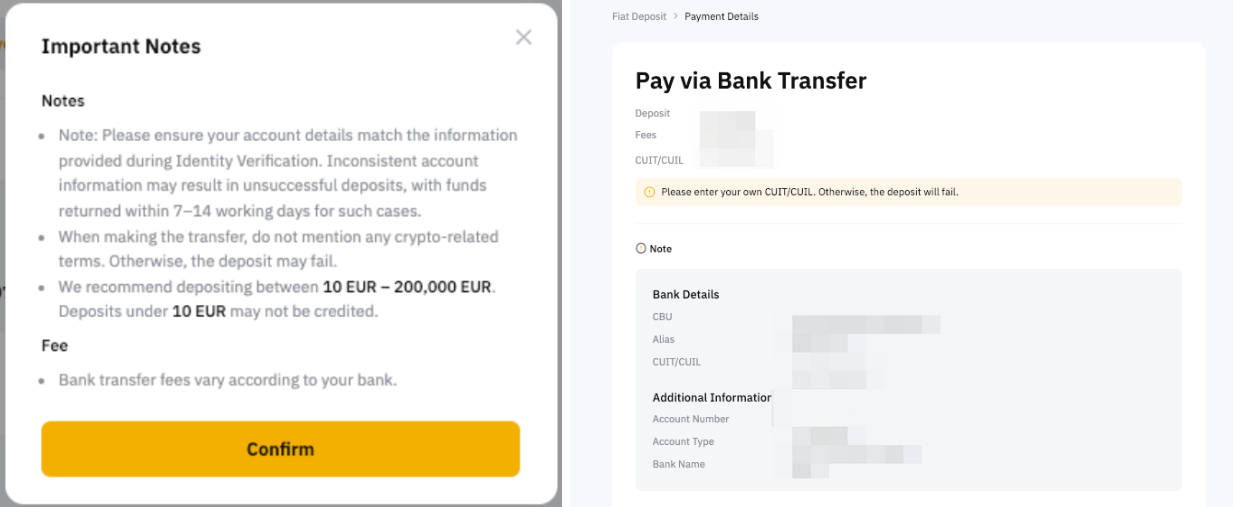
| - CUIT/CUIL
- CBU/CVU
- Alias (optional)
- Email Address
- Phone Number
| Your CUIT/CUIL, CBU/CVU, or Alias details must match the information provided in your Identity/Business Verification.
For certain circumstances, you might be requested to upload the proof of your CUIT/CUIL during the binding process.
Alias is optional and can be modified. Please ensure that the new alias has not been used and meets the required criteria; otherwise, the request will be rejected. For the reason for rejection, please refer to the message shown on the interface.
Please only deposit funds using an account registered under your tax identification number. Otherwise, your deposit will fail. |
RON | Zen.com | - Zen.com Account (mobile number)
| To use Zen.com, you will need to log in to your Zen.com account. If you do not have one, please create one using the same information as on your Bybit account. If you have any issue with the Zen.com application, please contact the support at hello@zen.com. |
CHF | SWIFT | — | — |
Zen.com | - Zen.com Account (mobile number)
| To use Zen.com, you will need to log in to your Zen.com account. If you do not have one, please create one using the same information as on your Bybit account. If you have any issue with the Zen.com application, please contact the support at hello@zen.com. |
VND | Bank Transfer | - Name
- ID Number
- Email address
- Phone number
| Your Citizen ID Card (CCCD) details must match your Identity Verification information.
An abnormal transaction such as name mismatch will result in the deposit being frozen for 72 hours, after which it will be returned to the original account. |
HUF | Zen.com | - Zen.com Account (mobile number)
| To use Zen.com, you will need to log in to your Zen.com account. If you do not have one, please create one using the same information as on your Bybit account. If you have any issue with the Zen.com application, please contact the support at hello@zen.com. |
CZK | Zen.com | - Zen.com Account (mobile number)
| To use Zen.com, you will need to log in to your Zen.com account. If you do not have one, please create one using the same information as on your Bybit account.
If you have any issue with the Zen.com application, please contact the support at hello@zen.com. |
CLP | Khipu | - RUT (Rol Único Tributario)
- Bank Name
- Bank Account Number
- Email Address
| Please make sure to use a bank account and RUT that belong to the same person who completed identity verification. Deposits from third-party accounts will fail. |
BOB | QR Payment | - CI (Cédula de Identidad)
- Bank Name
- Bank Account Number
- Email Address
| Please make sure to use a bank account and CI that belong to the same person who completed identity verification. Deposits from third-party accounts will fail. |
AED | Bank Transfer | - First and last name
- IBAN no.
| Before making a payment on the payment details page, you must provide your full name and an IBAN account that matches the KYC information on Bybit. A virtual account will be created for you to receive funds on Bybit. Please ensure that the bank account used to make the payment belongs to the same individual who completed identity verification. Payments from third-party accounts will fail. |