Arbitrage trading is an investment strategy that capitalizes on differences in an asset’s listed price across different markets. The most common arbitrage strategies in the crypto market include spot-futures arbitrage, funding rates arbitrage, and futures arbitrage.
What is Bybit Arbitrage?
Bybit Arbitrage is a trading tool designed to help traders seize short-term opportunities emerging from price disparity in different markets. With Bybit Arbitrage, traders can monitor the order book and liquidity of two trading pairs or contracts concurrently, and place both-leg orders through a streamlined process that ensures greater precision in order fulfillment.
Bybit Arbitrage offers arbitrage opportunities in funding rates.
a. Funding rate arbitrage entails placing both-leg orders (with the same amount but in different directions) in Spot and Futures. The rationale is to offset potential losses with potential gains while earning funding fees. In cases where the funding fee is positive, the strategy involves buying in Spot and a short position in Perpetual to earn steady funding fees — termed positive arbitrage. Conversely, when the funding fee is negative, traders can short Spot and long Perpetual to profit from steady funding fees, known as negative arbitrage.
Suppose BTCUSDT Perpetual currently has a positive funding rate of +0.01%. Short position holders will receive funding fees from long position holders. Hence, Trader A can leverage Arbitrage tools by simultaneously buying 1 BTC in the Spot Market to profit from price rises and shorting 1 BTC to profit from price drops in the Perpetual Market. This hedging portfolio allows Trader A to balance potential losses in one market with profits from the other, while earning funding fees.
Currently, Arbitrage is only available in Cross Margin mode on the Bybit App.
Bybit Arbitrage supports the following arbitrage combinations:
- Spot (USDT) and USDT Perpetual
- Spot (USDC) and USDC Perpetual
Product Highlights
Arbitrage Opportunities: Bybit Arbitrage serves as a quick gateway to identity arbitrage opportunities. The interface organizes trading pairs based on funding rates, providing traders with a direct visualization of potential arbitrage opportunities.
Ranked by Funding Rate: This feature presents a list of funding rates for different trading pairs in descending order. It offers a clear visualization of the trading pair that currently offers the highest funding rate, allowing traders to capitalize on the funding fees.
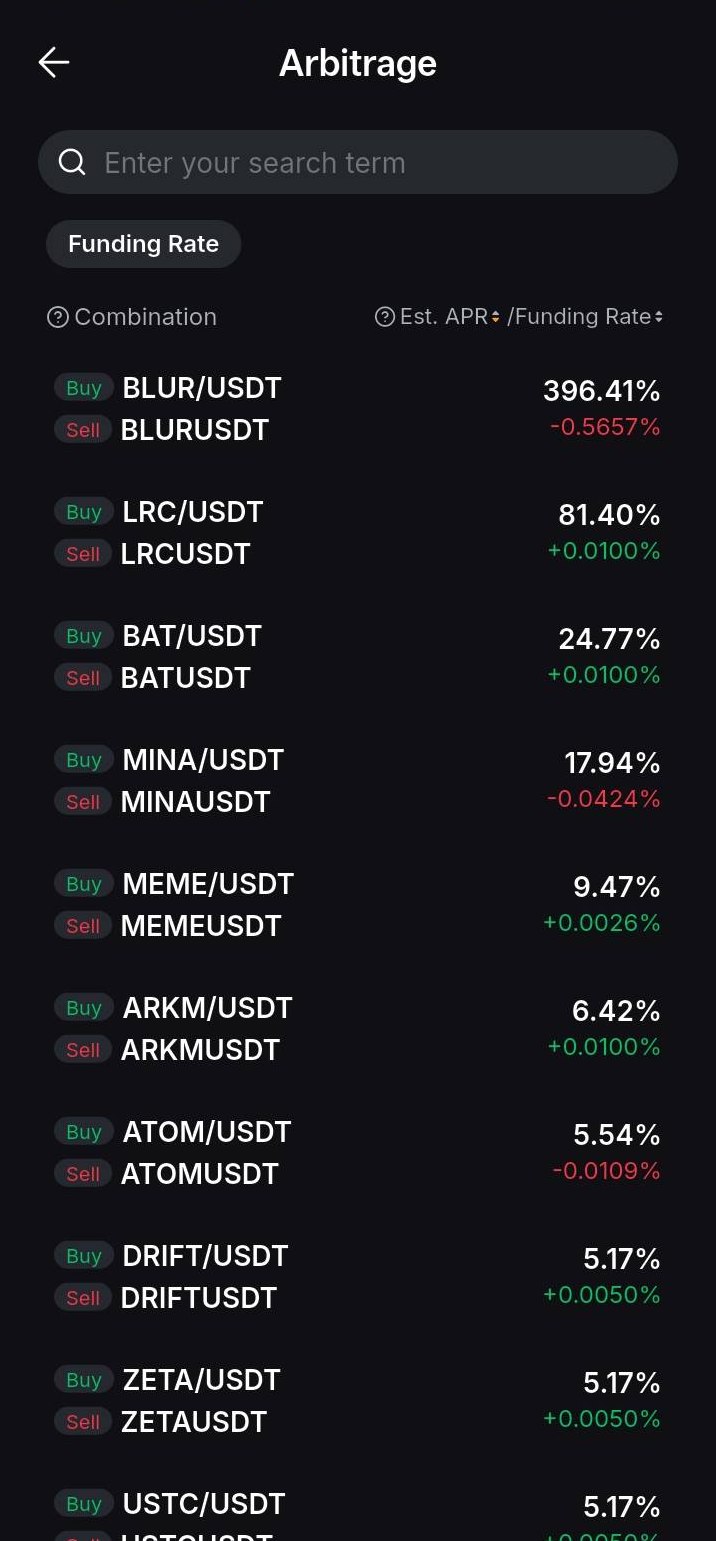
Trade with Both Legs: Easily monitor price movements and liquidity of two trading pairs on a single interface, and trade both pairs with just one simple click.
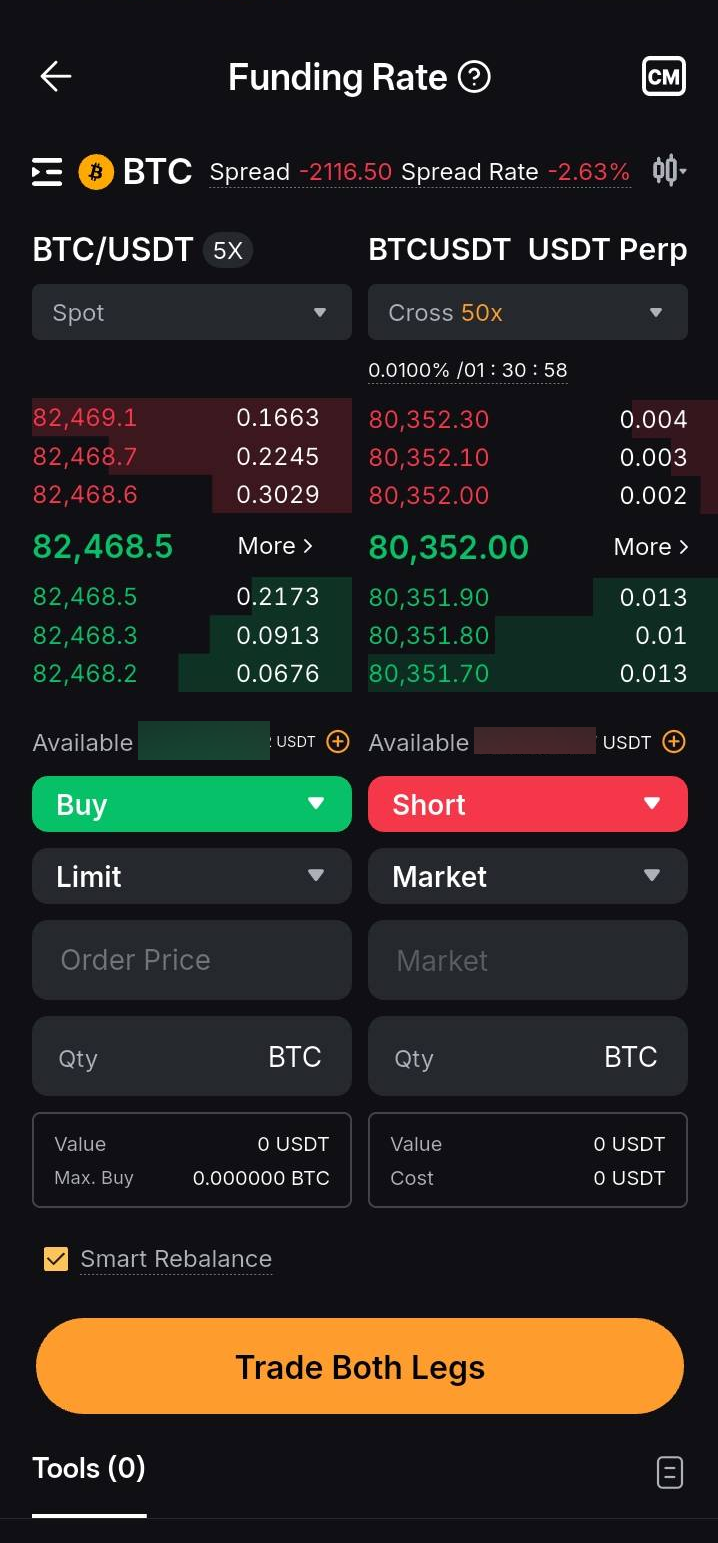
Smart Rebalance (Enabled by default): Smart Rebalance ensures your portfolio remains balanced by monitoring filled orders every 2 seconds. If the number of filled orders for one leg differs from the other, Smart Rebalance automatically places market orders to ensure an equal number of filled orders for both legs. Each round of Smart Rebalance will be valid for 24 hours. After 24 hours, any unfilled orders will be canceled.
For example, the Trader places a 1 BTC Buy Limit Spot order for leg A and a 1 BTC Short Limit Perpetual order for leg B. After placing the order, the system will check the transaction quantity of both legs every 2 seconds. Assuming that leg A filled 0.5 BTC and leg B filled 0.4 BTC. At this time, the system will place a 0.1 BTC Market order for leg B to make up for the quantity. Every 2 seconds, the system will perform a check until all orders are completely filled or the effective time of 24 hours is reached.
Over 80 Assets as Collateral: With Unified Trading Account (UTA), traders can use over 80 assets as margin for arbitrage trading. The mechanism of margin for Arbitrage is illustrated below:
Suppose the BTC market price is 30,000 USDT. With a 30,000 USDT margin in the UTA, a trader can place a Spot order and a Perpetual order concurrently by using the 1 BTC spot assets as margin to short 1 BTC on a perpetual contract, enabling profit from positive arbitrage.
Risks
— Arbitrage is a tool that allows users to place orders concurrently without APIs. It does not guarantee profits and may still expose users to liquidation risk.
— Smart Rebalance automatically rebalances traders’ portfolios by placing market orders, which may result in price deviation from the price set initially.
— Arbitrage tools do not help users to manage or close their positions. Traders are responsible for actively managing their positions.
How to Place Arbitrage Orders
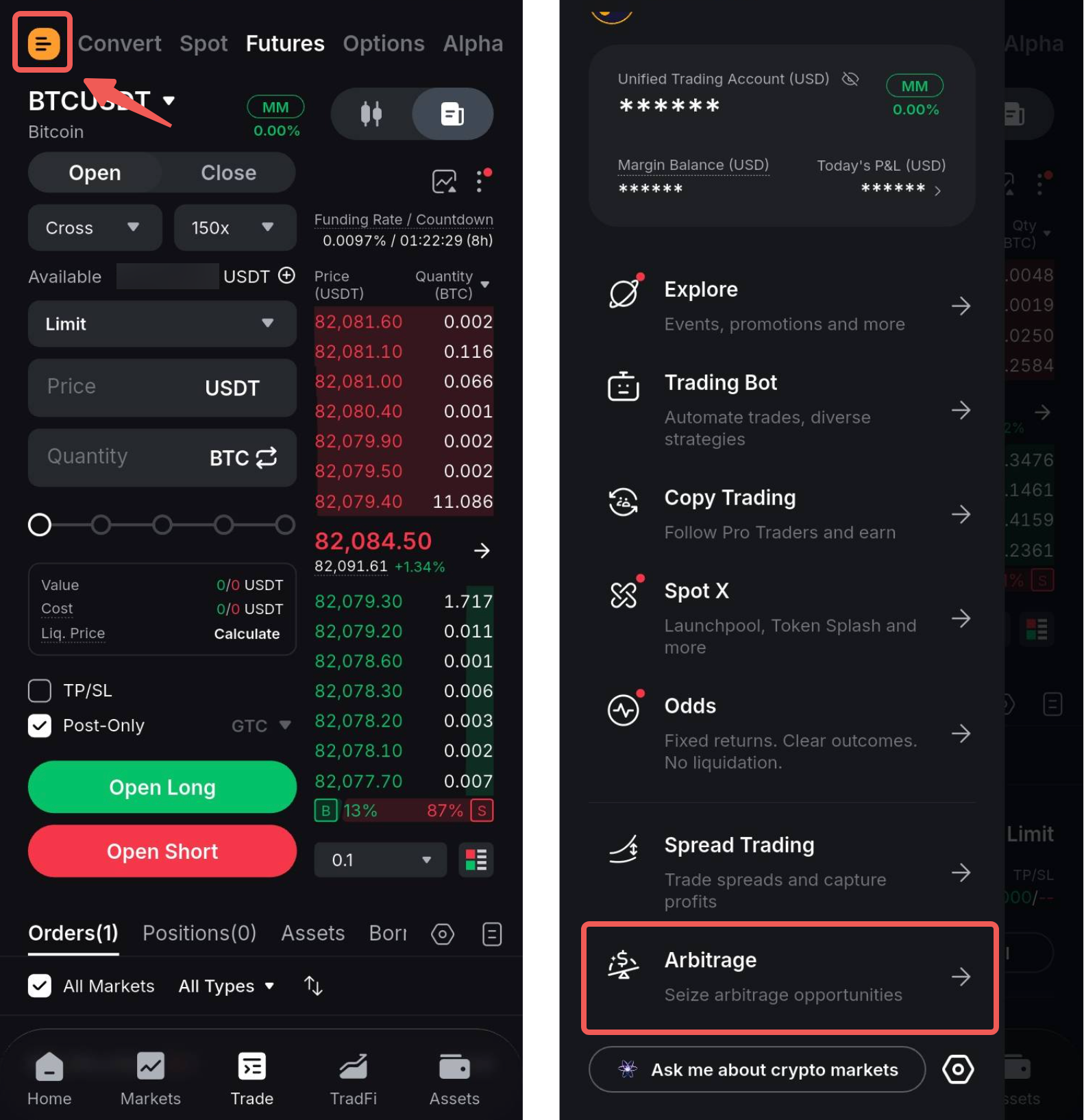
Step 1: On the trading page, tap the Side Panel menu and select Artbitrage.
Step 2: Choose the asset for your Arbitrage trade from the available list of trading pairs.
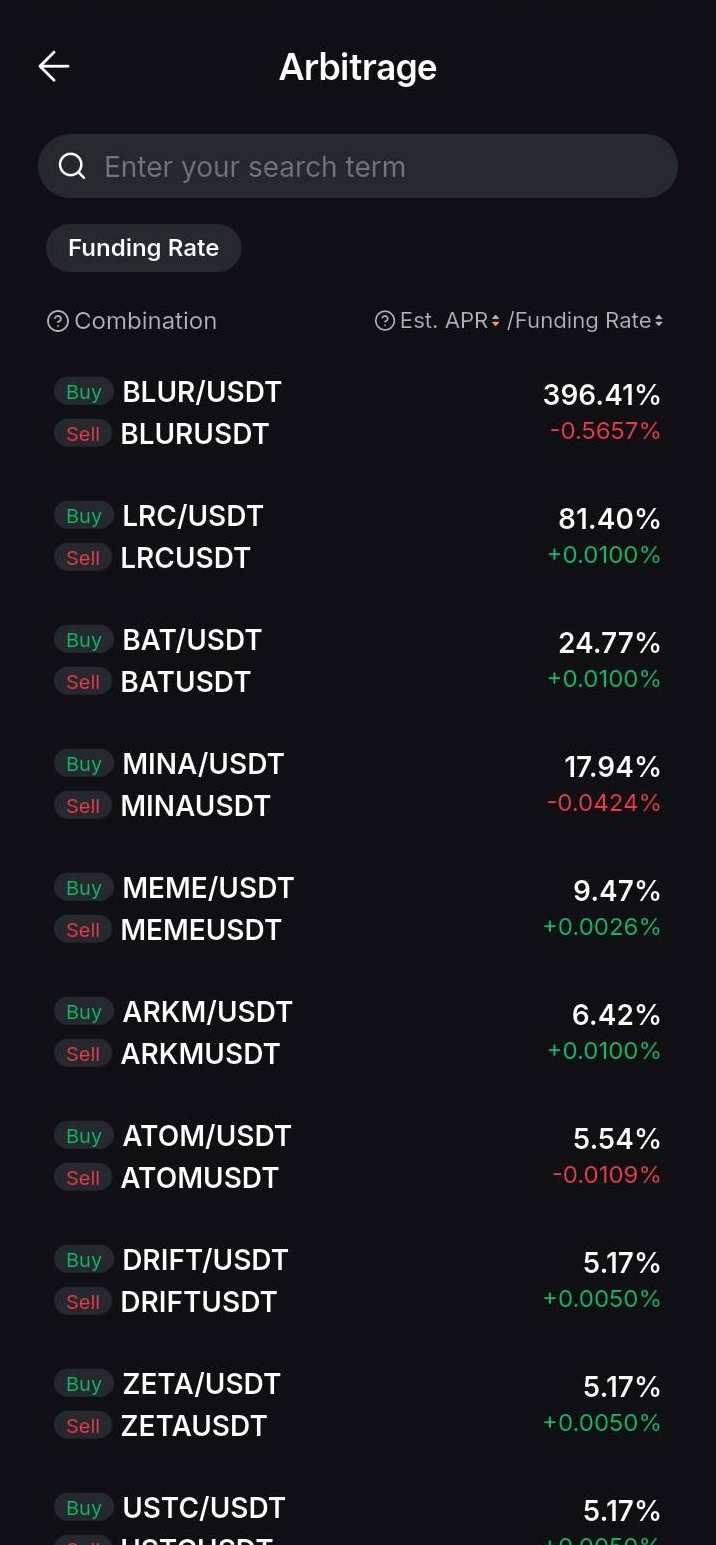
Step 3: Adjust the following parameters before placing your order:
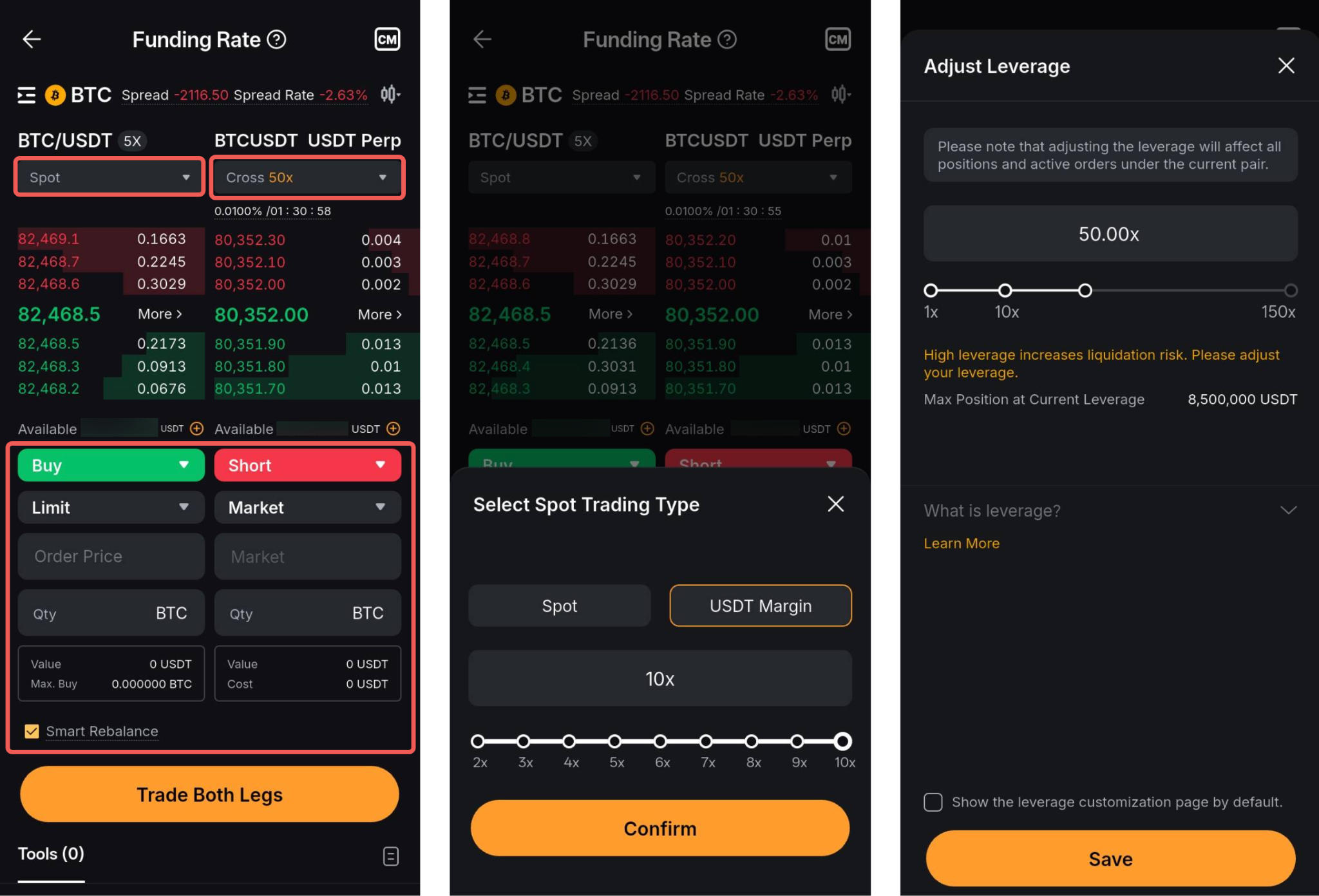
- Select your Spot trading type. Certain trading pairs support margin trading. To switch to margin trading, simply tap the Spot tab → USDT Margin. You can also adjust the leverage by using the slide bar.
- Adjust the USDT perpetual contract’s leverage. To adjust the leverage of your USDT perpetual contract, tap the current leverage tab and adjust accordingly.
- Choose either to go long or short. The amounts for both legs are always the same but in opposite directions. The system will automatically determine the direction of the second leg once you’ve chosen the direction of the first.
- Select Market or Limit Orders. When entering the order price, you can refer to the Funding Rate or Spread Rate to gauge the arbitrage cost.
- Enter the Order Qty. Fill in the order quantities for both legs. Please note that the order quantities for both legs must be equal, when Smart Rebalance is enabled.
- Enable Smart Rebalance: Activating the portfolio rebalancing function helps to mitigate the risk of one leg being executed while the other remains unexecuted for an extended period. This function is optional but is enabled by default.
Step 4: Tap Trade Both Legs and then Confirm to complete your order.
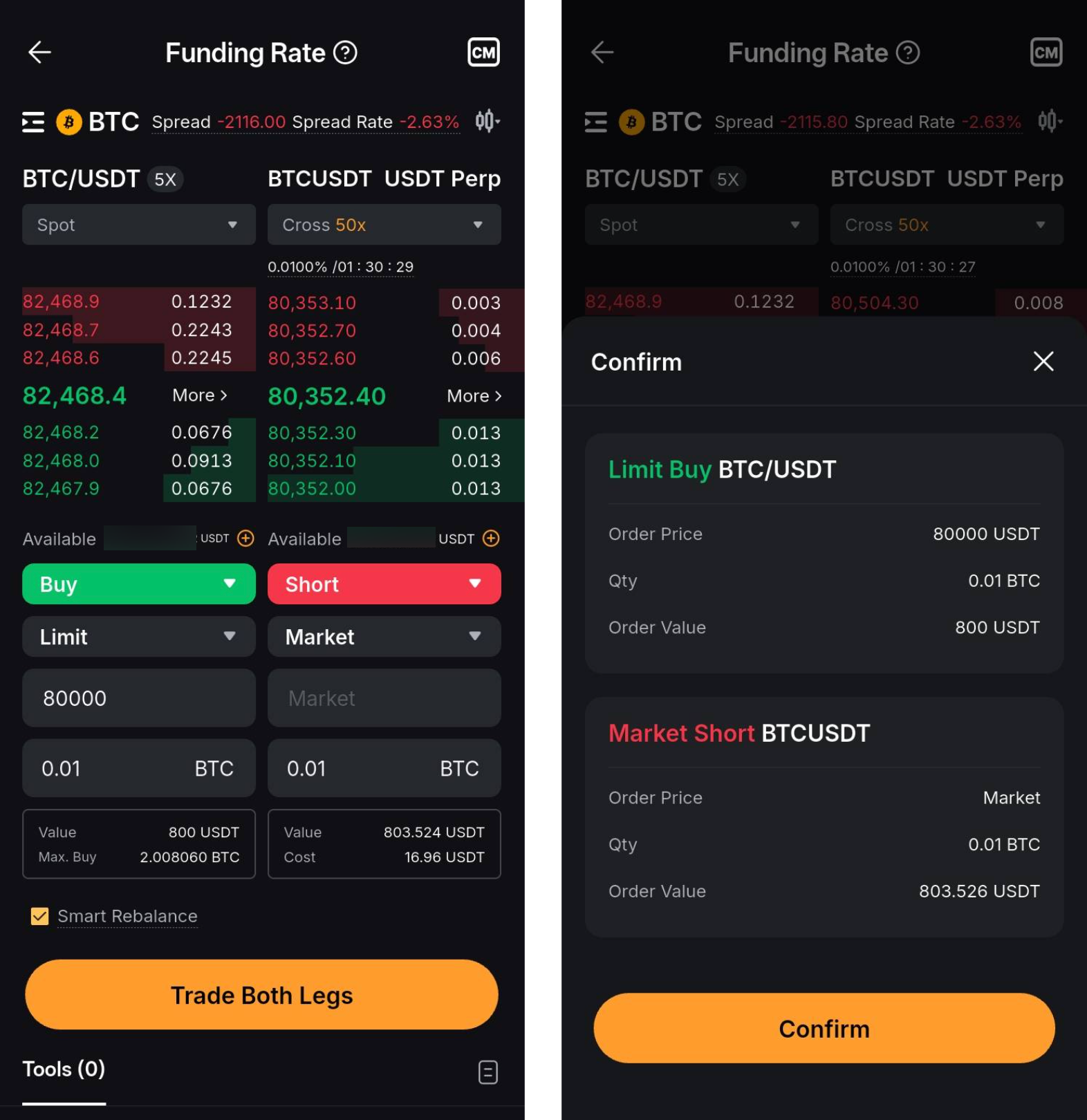
Step 5: View your active Arbitrage orders under Tools. Once the order is fully filled, tap the History icon and navigate to Tools History to check your order history.
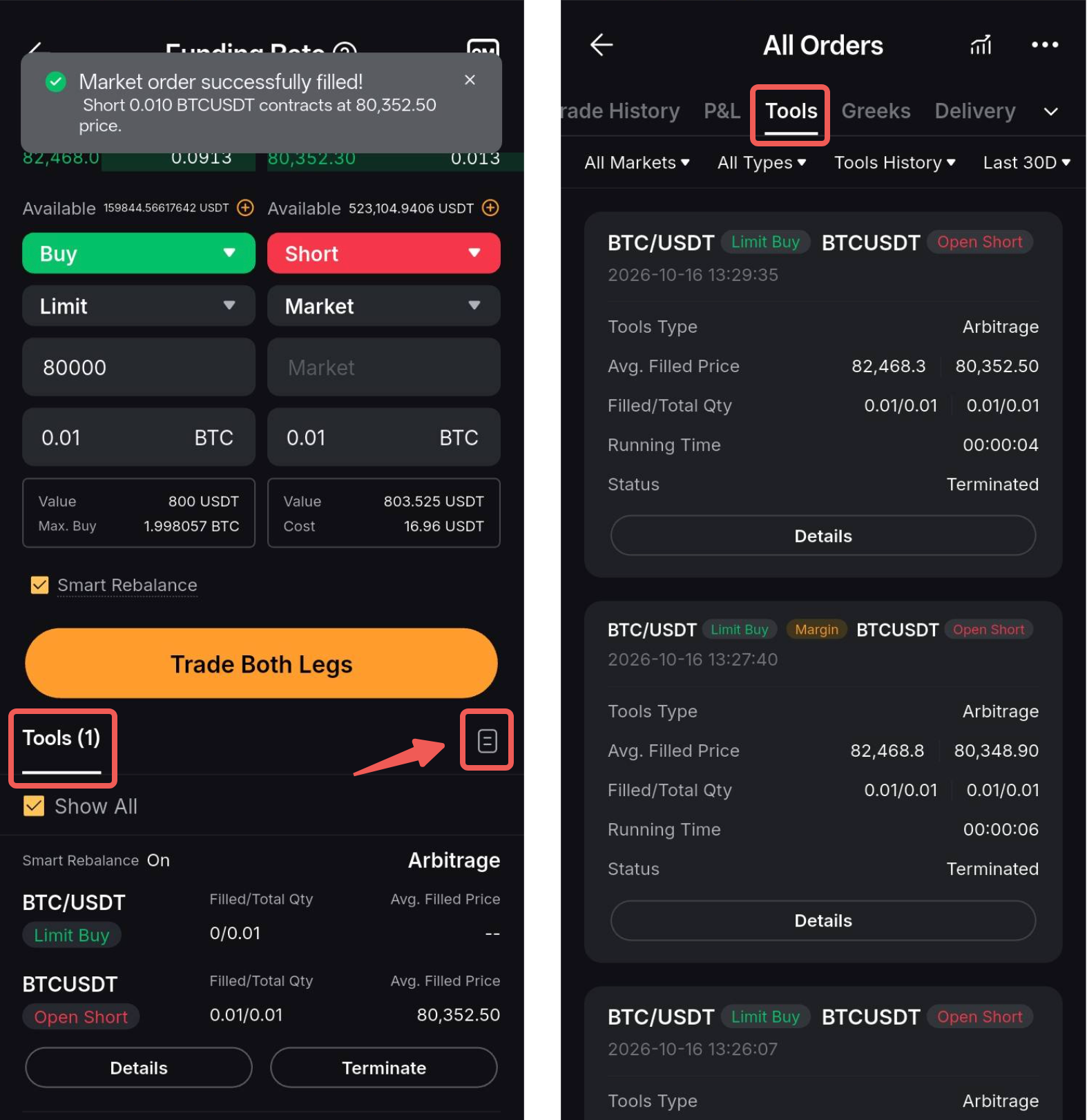
Step 6: After the order is placed, you can view your active position under the Positions tab, and your Spot assets under the Assets tab.
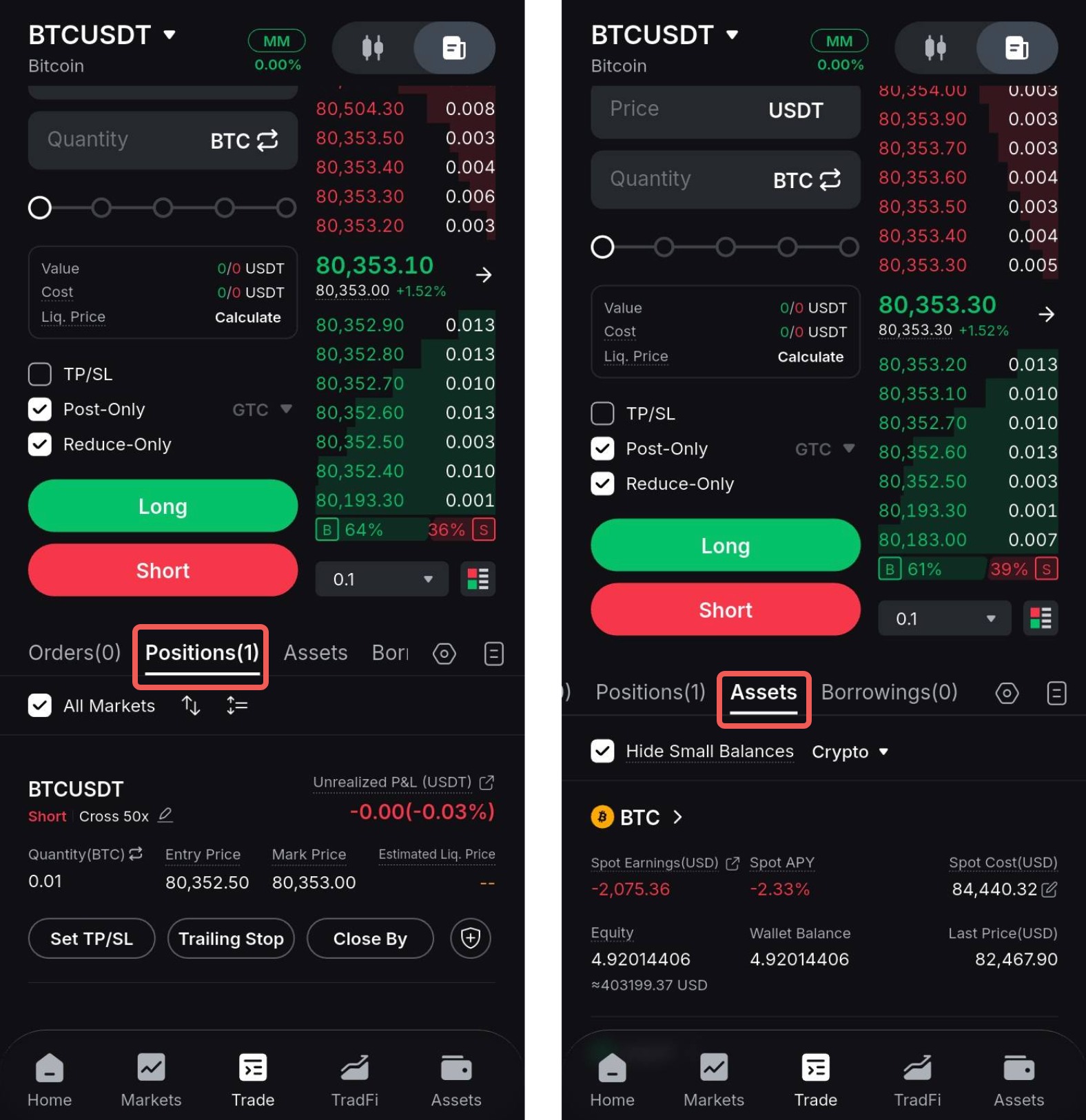
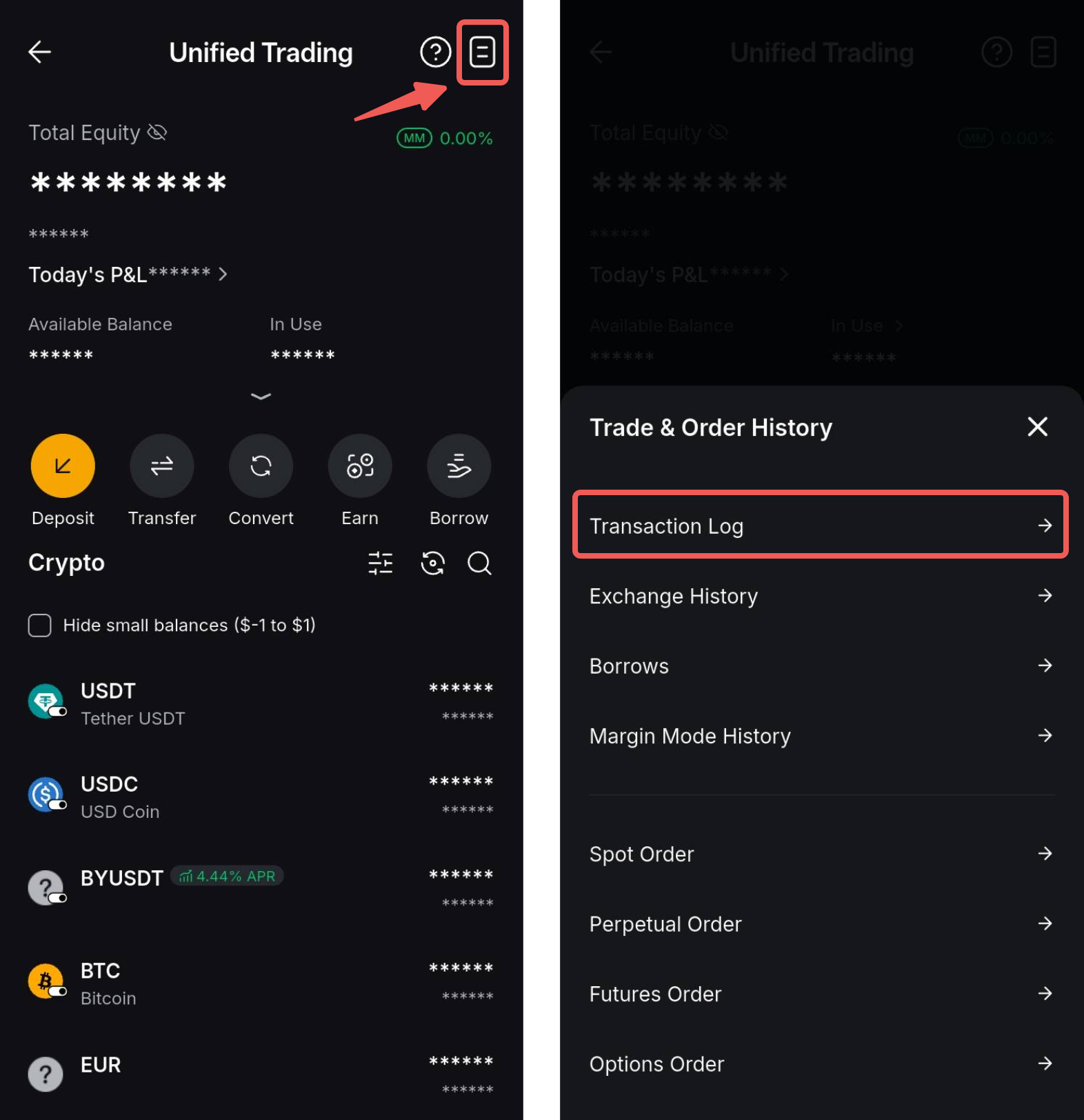
To check the funding fee and asset details, you can go to Transaction Log on the UTA asset page.